
Prerequisites
Before installation:
-
Confirm that the target Gateway meets the declared Ignition compatibility requirement.
-
Obtain a trusted, signed module package through your organization's approved release process.
-
Ensure the installing account has the required Gateway module-administration permission.
-
Confirm that the Gateway environment has persistent storage and the required outbound access for any planned report/notification destinations.
Installing the module
-
Sign in to the Ignition Gateway with an authorized administrator account.
-
Open the standard Gateway module-management interface.
-
Upload the approved module package.
-
Review the module identity, version, signature, and dependency information presented by the Gateway.
-
Complete the Gateway installation workflow.
-
Confirm that the module reaches its normal running state.
-
Review Gateway logs for installation, dependency, storage, or initialization errors.
-
Open Security Auditor > Configuration and verify that its health/status information indicates normal operation.
Gateway menu labels and restart behavior can vary with the Ignition version and deployment policy. Follow the standard installation procedure for the target Gateway.
Initial configuration
Privacy and health
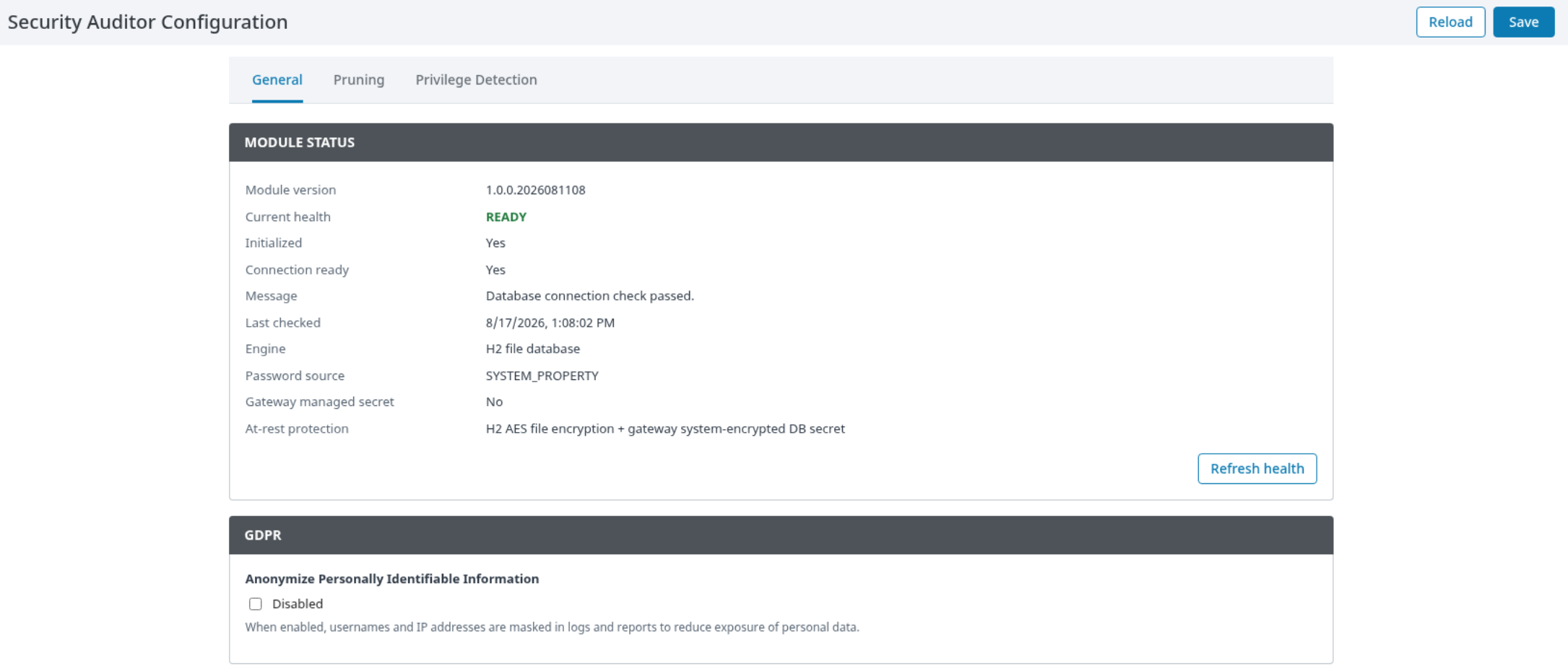
Open Security Auditor > Configuration > General.
-
Review the visible health and connection status before enabling operational features.
-
Enable Anonymize Personally Identifiable Information when displayed/exported usernames and IP addresses should be reduced according to your policy.
-
Use the password-management action only under an approved Gateway secret-management procedure.
Privilege detection
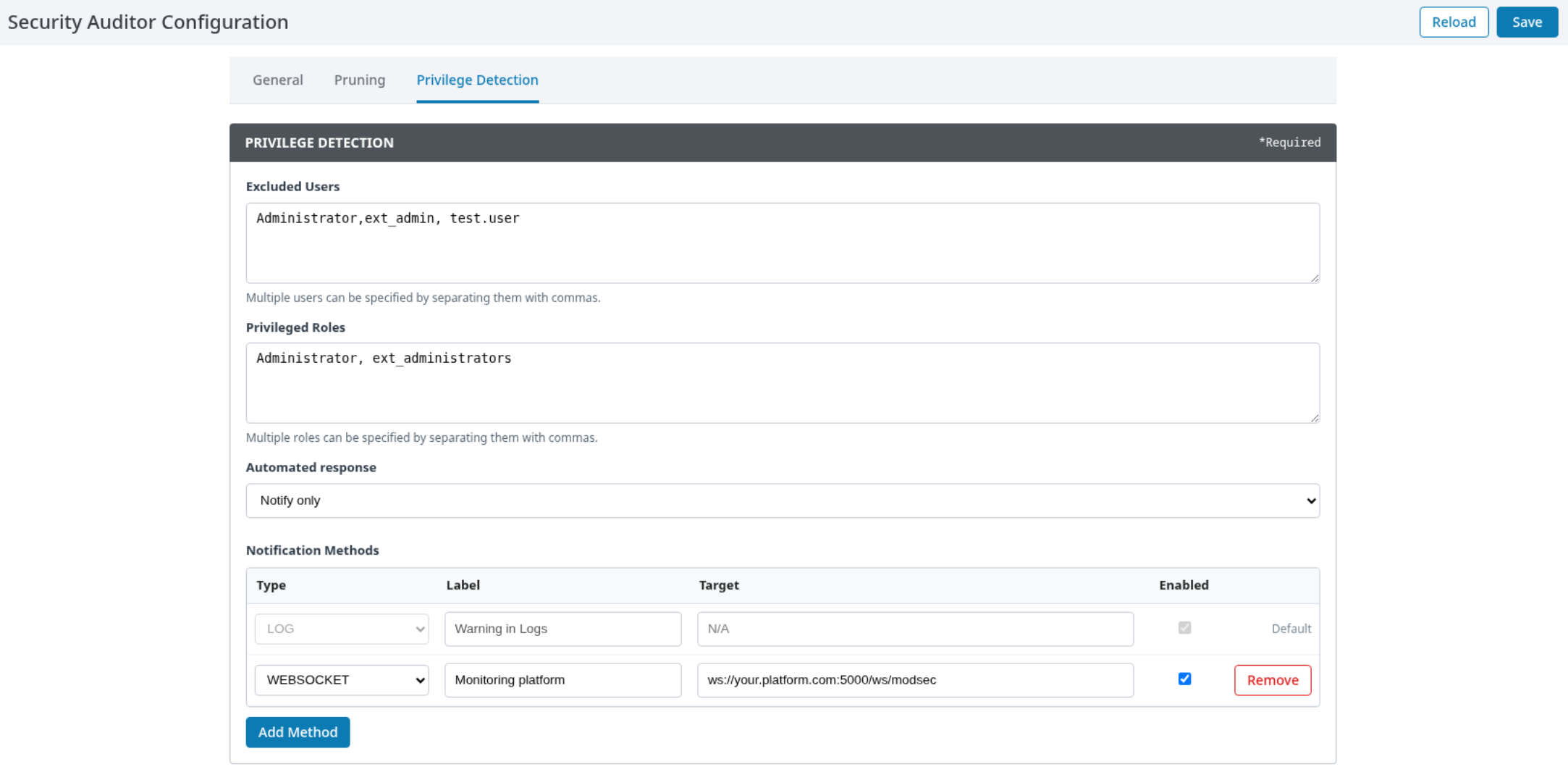
Open Security Auditor > Configuration > Privilege Detection.
-
Enter approved usernames in Excluded Users.
-
Enter the exact monitored names in Privileged Roles.
-
Select Notify only under Automated response for initial testing.
-
Add a controlled Notification Method.
-
Save the configuration and validate with a non-production account.
Do not enable role removal or session termination until account-recovery procedures and user-source behavior have been tested.
Retention and archive protection
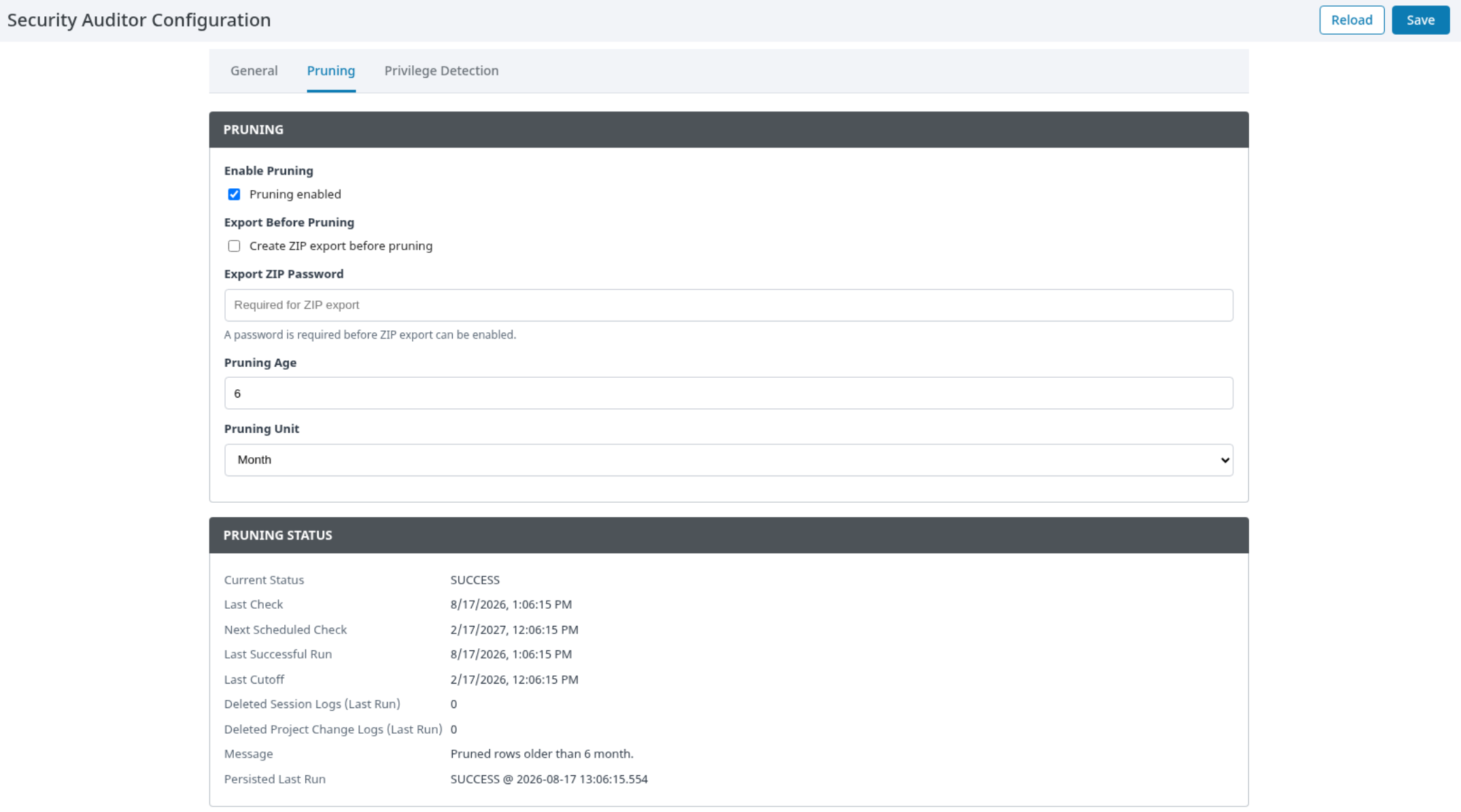
Open Security Auditor > Configuration > Pruning.
-
Select Enable Pruning only after agreeing the retention policy.
-
Enter Pruning Age and select Pruning Unit.
-
Select Export Before Pruning when an archive is required before removal.
-
Provide Export ZIP Password through the organization's approved secret-handling process.
-
Save and verify a controlled retention run before production use.
Protect archive passwords and exported content as sensitive operational data.
Report delivery
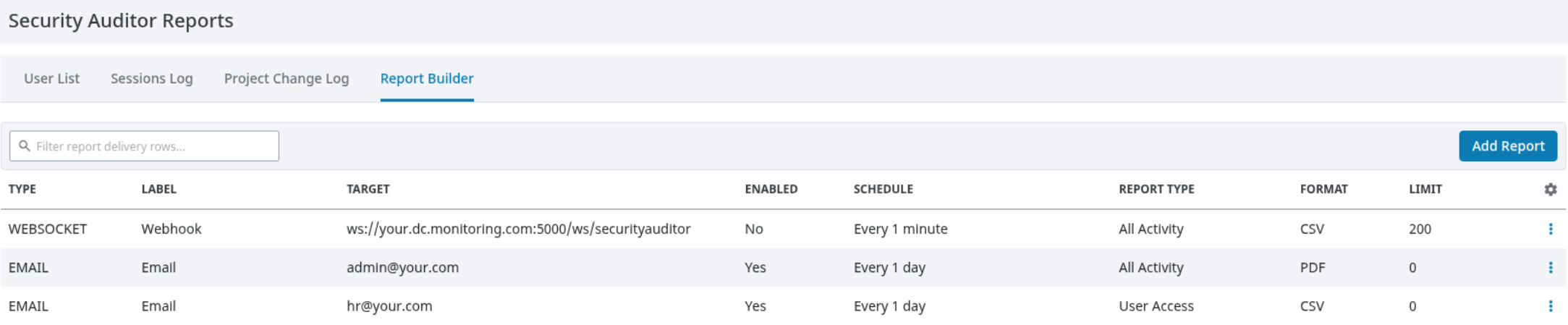
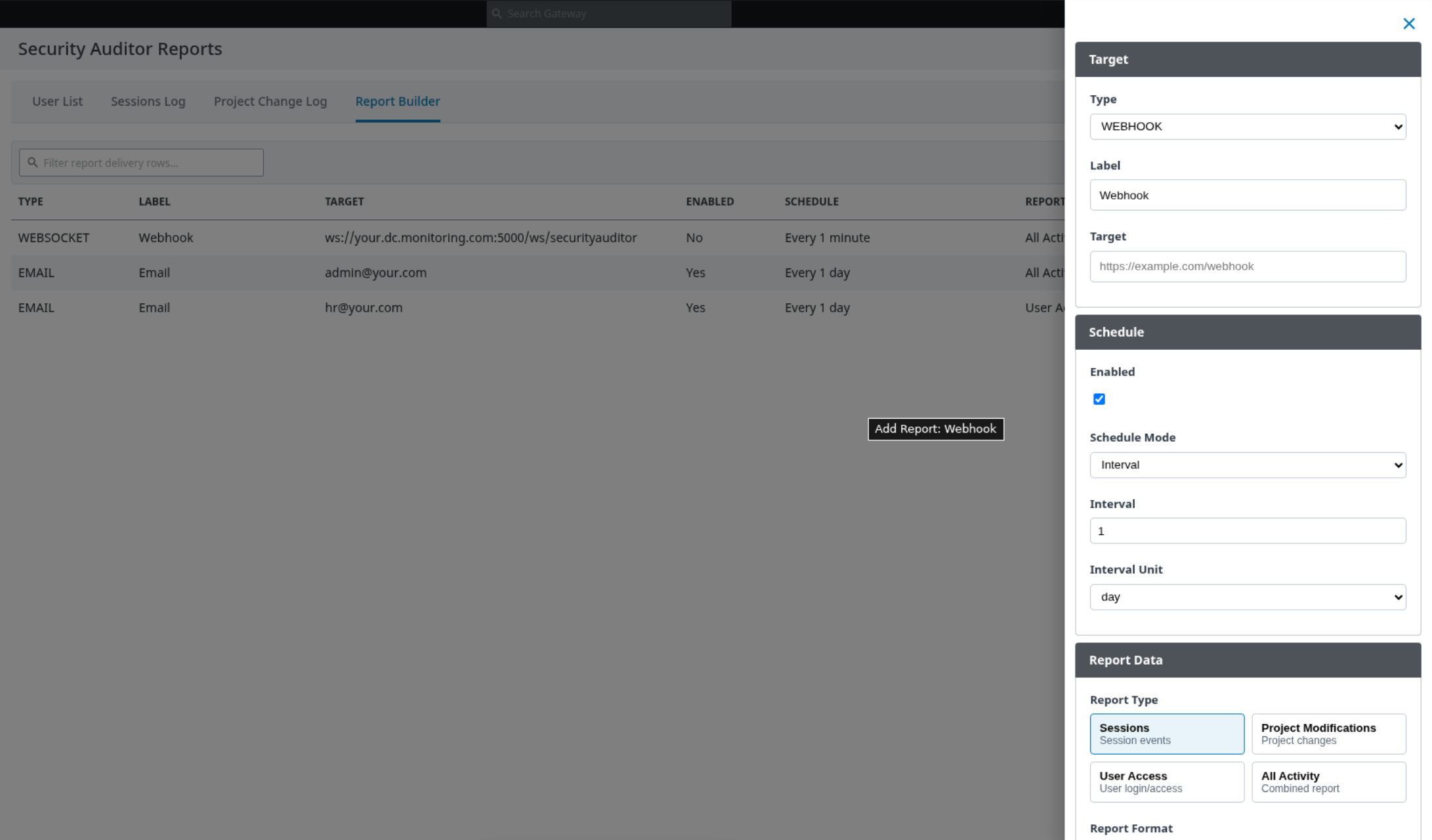
Open Security Auditor > Reports > Report Builder.
-
Add a report delivery entry.
-
Select an approved delivery type and destination.
-
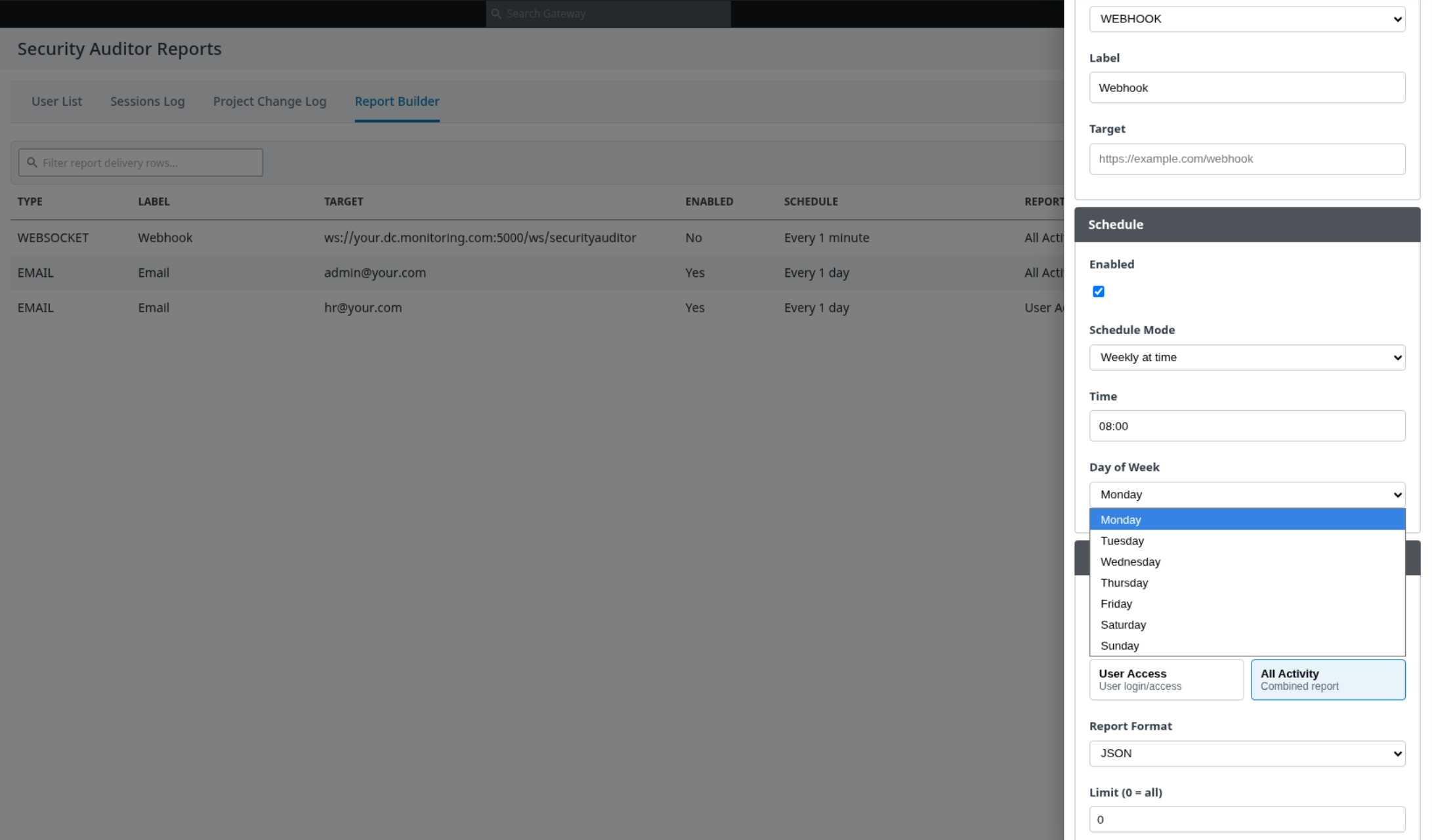
Choose the report content and schedule that match the operational requirement.
-
Test delivery manually.
-
Verify both Gateway logs and receipt at the destination.
-
Enable the schedule after the test succeeds.
Configuration roles
|
Role |
Typical responsibility |
|---|---|
|
Gateway administrator |
Installs the module, assigns permissions, manages Gateway backup/security, and approves external connectivity. |
|
Security/operations administrator |
Configures privilege policy, notification destinations, report schedules, and retention policy. |
|
System integrator |
Validates user-source names, email profiles, external destinations, and Gateway integration in a controlled environment. |
Security recommendations
-
Apply least-privilege access to Security Auditor pages and administration actions.
-
Prefer HTTPS/WSS for external delivery.
-
Restrict Gateway outbound access to approved destinations.
-
Do not place reusable credentials in user-visible configuration values or shared documentation.
-
Protect Gateway backups, report exports, and retention archives.
-
Validate destructive policy actions with test users before production enablement.
Verification
After setup:
-
Confirm module health/status is normal.
-
Generate controlled session and project activity.
-
Confirm that activity appears in Reports.
-
Test privilege detection in Notify only mode.
-
Test each report/notification destination.
-
Verify retention/archive behavior with non-production or approved test data.
Updating the module
Before updating:
-
Record the installed module and Ignition versions.
-
Back up the Gateway and module-related operational data according to your organization's procedures.
-
Export or record required configuration without exposing secrets.
-
Install the approved updated module through the standard Gateway workflow.
-
Verify health, reporting, privilege detection, and delivery after the update.
A certified upgrade, downgrade, or rollback matrix is not documented.
Uninstallation considerations
Before uninstalling, disable scheduled operational actions, export required evidence, and take an approved backup. Confirm data-retention and deletion requirements with your Gateway administration policy.