
1. Review recent Gateway activity
Scenario
An operations or support team needs to review recent session and project activity after a configuration change or operational incident.
How the module helps
Security Auditor presents recent user, session, and project-change information in Gateway reporting pages.
Typical workflow
-
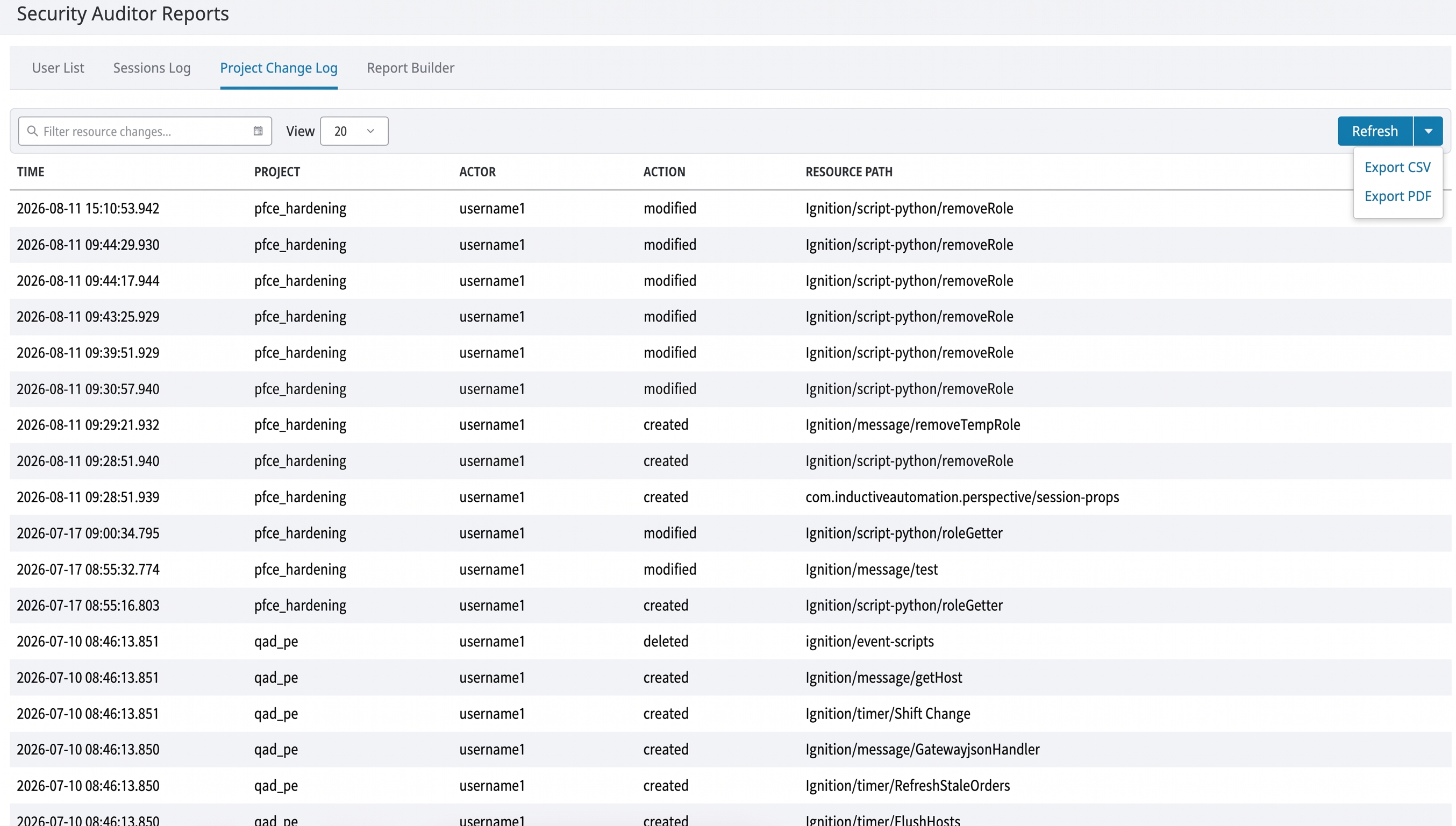
Open Security Auditor > Reports.
-
Select Sessions Log, Project Change Log, or User List.
-
Use the available table controls to narrow the currently available information.
-
Review user detail where the interface provides it.
-
Export the displayed information when an approved operational process requires it.
2. Monitor privileged roles
Scenario
An administrator needs to know when a user holds a role that is designated as privileged but is not approved for that role.
How the module helps
The module compares configured privileged roles with the configured approved-user list and records/notifies when it detects a mismatch.
Typical workflow
-
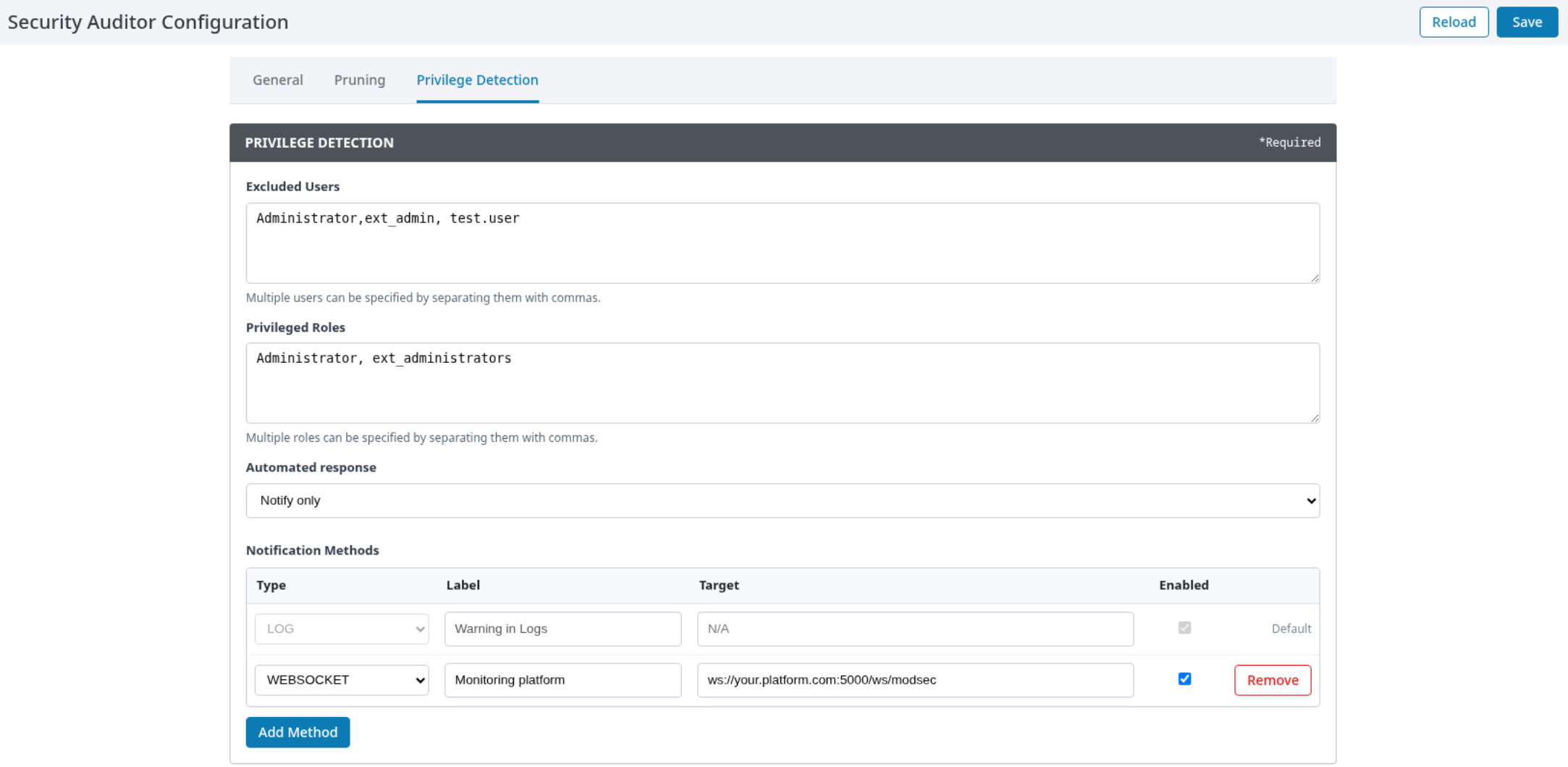
Open Security Auditor > Configuration > Privilege Detection.
-
Define Excluded Users and Privileged Roles using the exact user and role names used by the Gateway user source.
-
Select Notify only for the initial rollout.
-
Configure an approved notification destination.
-
Test with a controlled account before enabling an automated response.
3. Investigate a privileged access event
Scenario
An administrator receives a privileged-access notification and must determine whether follow-up action is required.
How the module helps
Security Auditor records the detected event and exposes supporting activity in its reporting interface, subject to the information available from the Gateway.
Typical workflow
-
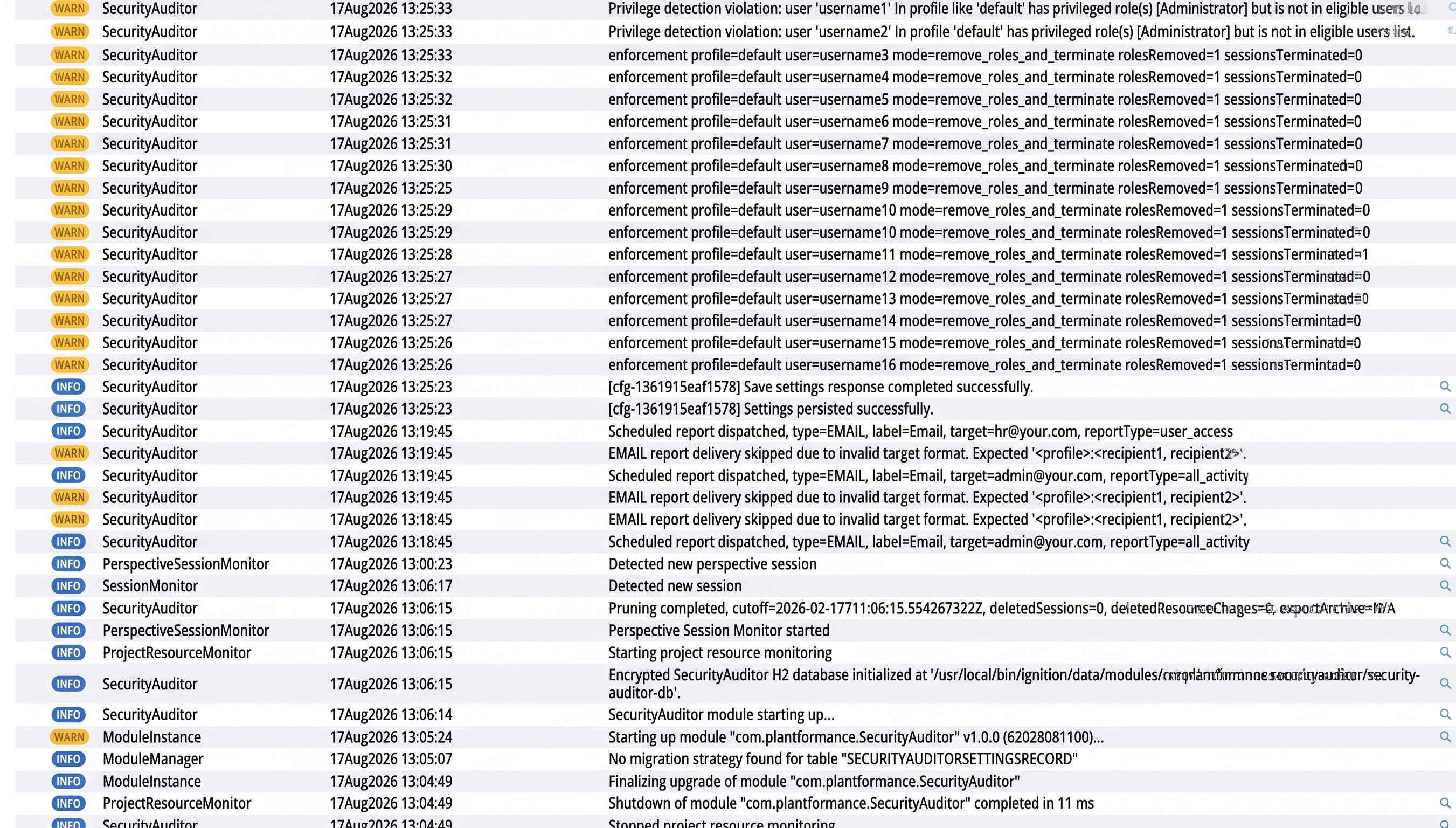
Review the notification and corresponding Gateway log entry.
-
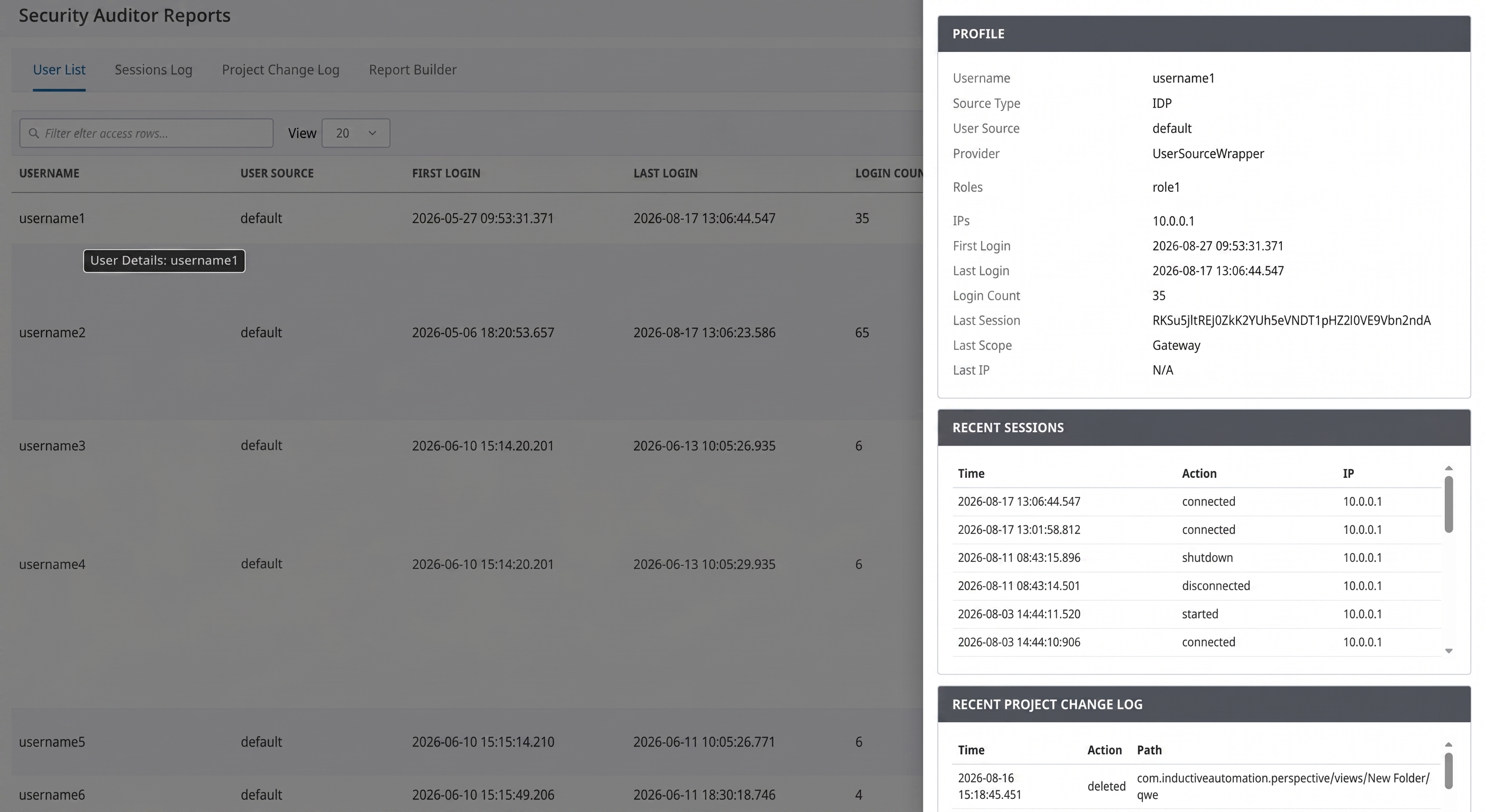
Open the relevant report view and inspect the affected user's recent activity.
-
Confirm whether the user should be present in Excluded Users.
-
Correct the user-source role assignment or module configuration as appropriate.
-
Keep Automated response at Notify only until the policy is confirmed.
4. Deliver an operational audit report
Scenario
A team needs a recurring operational summary delivered to an approved reporting destination.
How the module helps
The Report Builder supports configured report delivery and scheduled dispatch.
Typical workflow
-
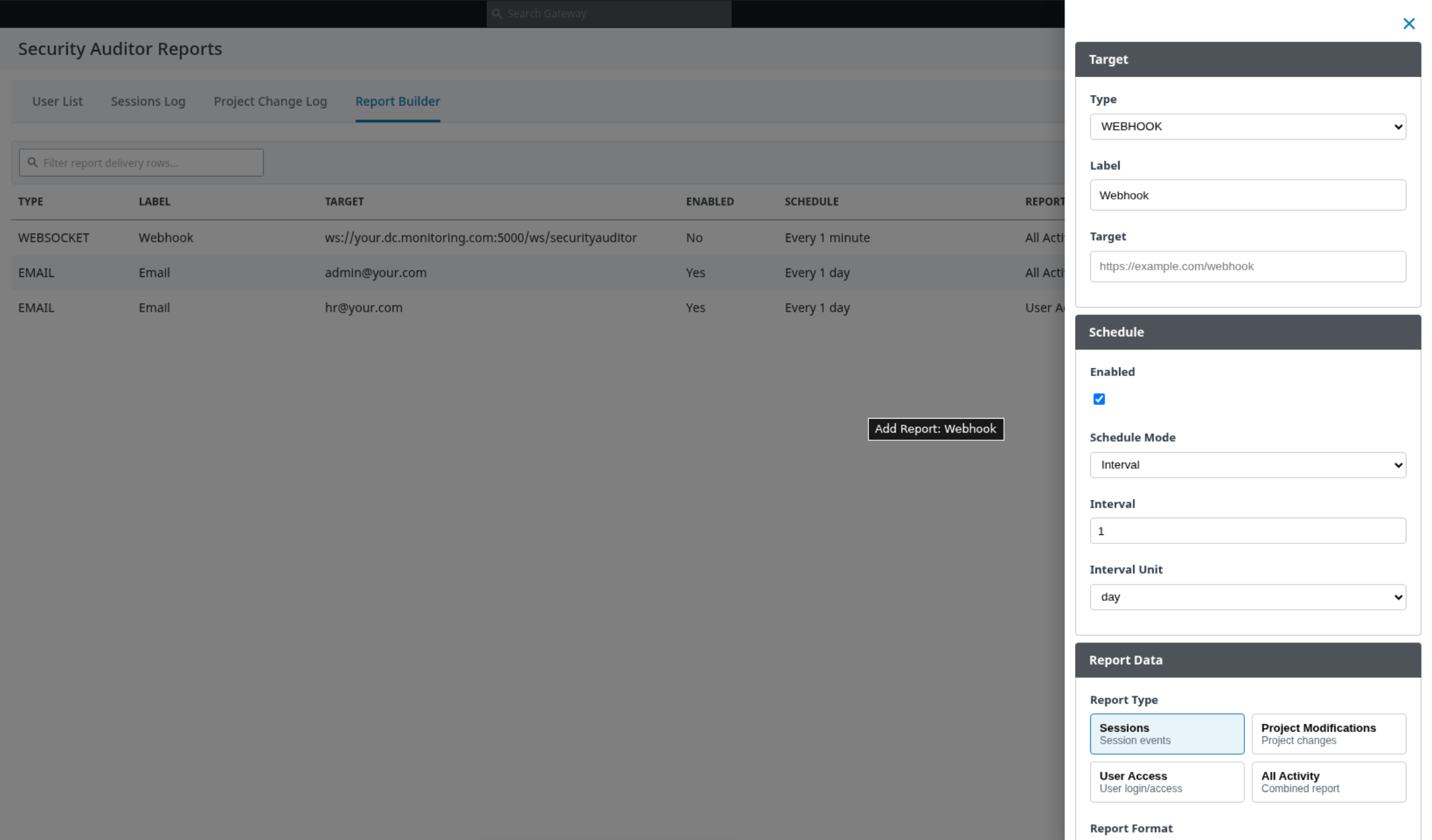
Open Security Auditor > Reports > Report Builder.
-
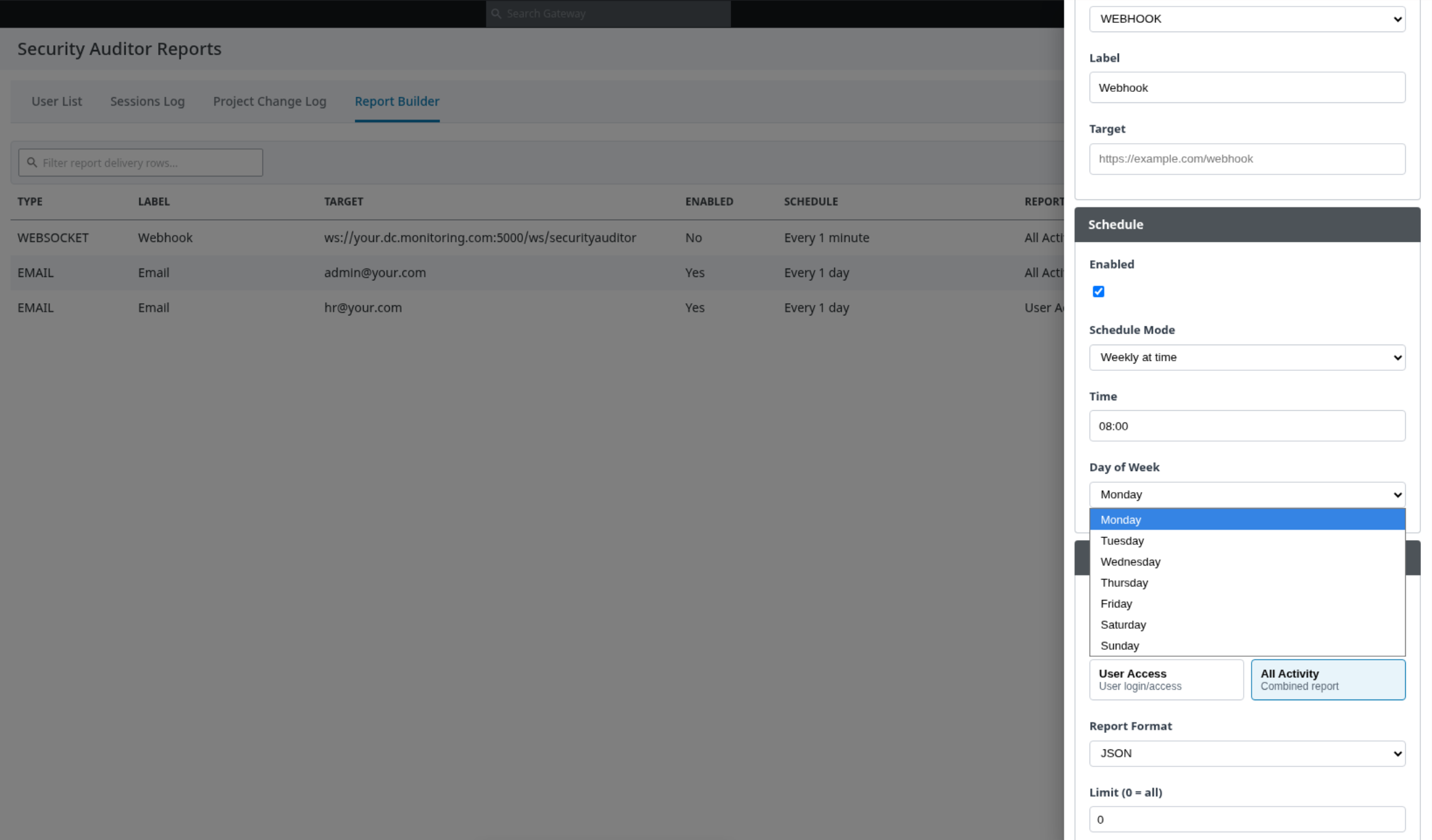
Add a report delivery entry with the required destination and report selection.
-
Use the available send action to test delivery.
-
Verify receipt at the destination and review Gateway logs.
-
Enable the desired schedule after a successful test.
5. Apply audit retention with archive protection
Scenario
An organization needs to limit retained detail records while preserving an archive before removal.
How the module helps
Security Auditor can create a protected archive before pruning eligible records.
Typical workflow
-
Agree the retention policy and archive-handling process.
-
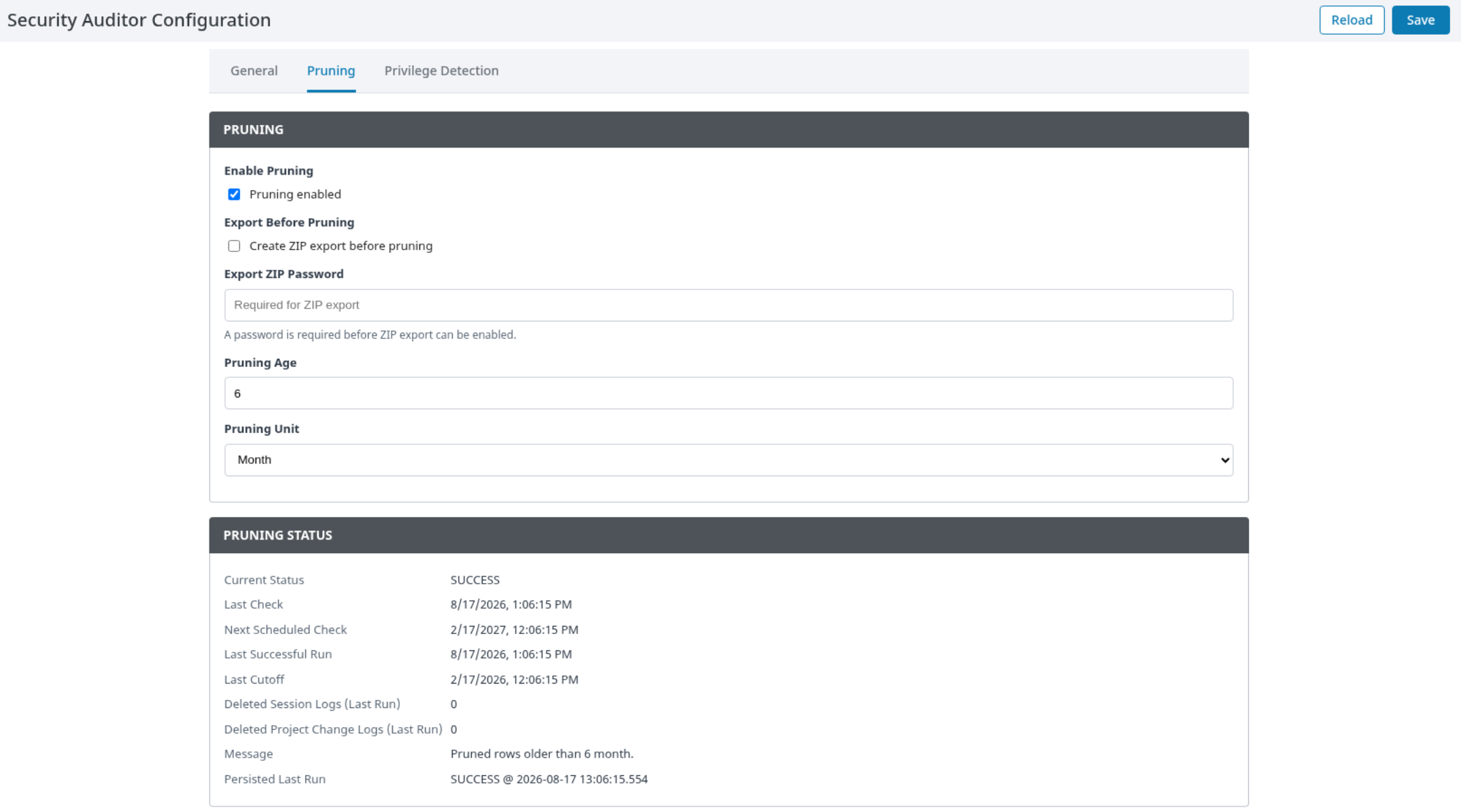
Open Security Auditor > Configuration > Pruning.
-
Enable pruning and configure retention values.
-
If required, enable Export Before Pruning and protect the archive password under the organization's secret-management process.
-
Verify the first controlled run before relying on the workflow for production retention.