This page describes two designer capabilities that help users configure components faster and more consistently.
These functions are especially useful when working across components that share the same OPC connections, device names, and tag path structures.
OPC tag values reading
Designer supports reading OPC tag values by using the same OPC connections, the same device names, and the same pathing already available in your environment. This means users do not need to recreate naming structures or adapt tag paths for each component manually.
When the OPC structure is already defined consistently, the designer can reference tags directly using the existing hierarchy. This makes configuration easier, reduces setup time, and helps avoid path mismatches caused by manual entry.
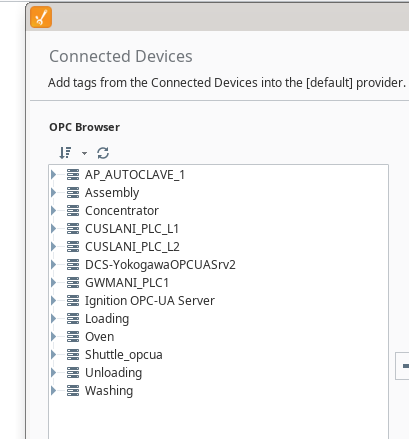
The available structure is visible from the OPC Browser, where you can confirm the connection names, device names, and browsing path before selecting or mapping tags.
See image for an example of how the OPC Browser shows the existing connection and path structure.
Copy/paste tag config
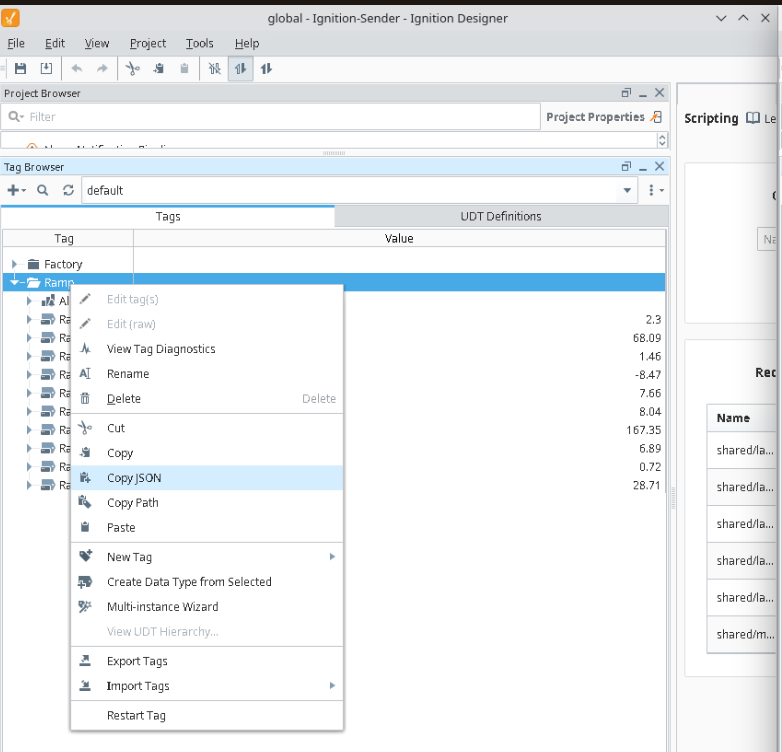
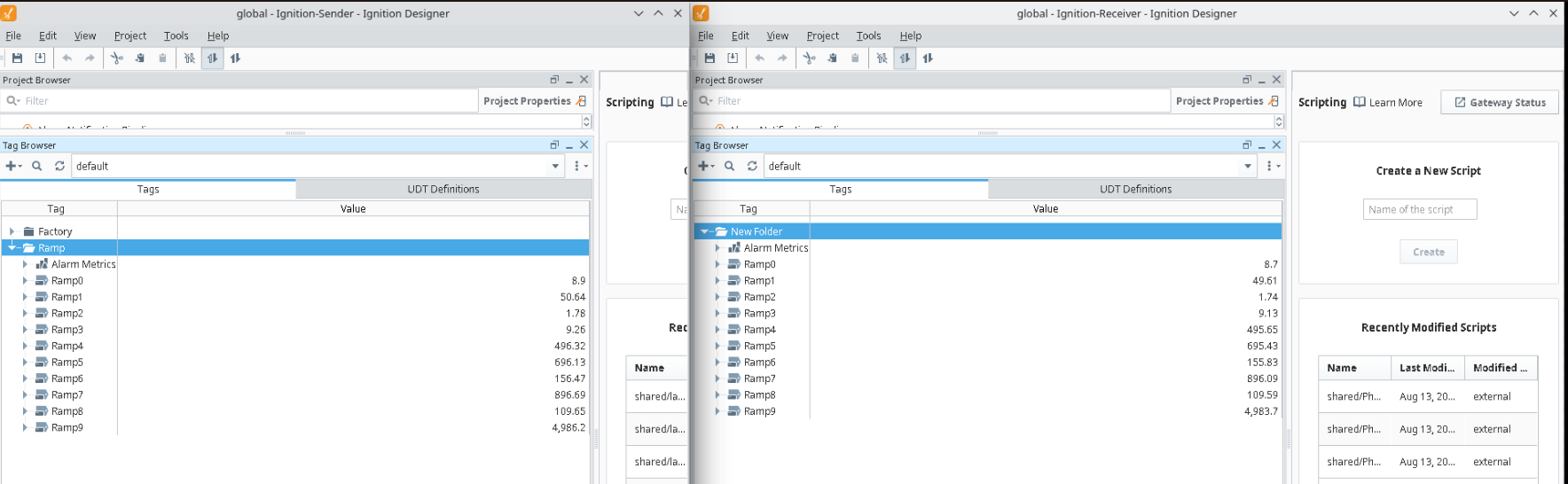
Tag configuration can be copied and pasted directly from a sender component to a receiver component. This makes it easy to reuse existing tag setups without rebuilding the configuration manually.
To do this, copy the JSON configuration from the source tag setup and paste it into the target configuration. When the sender and receiver use the same expected structure, the configuration works out of the box.
This approach is useful for speeding up repetitive setup tasks, keeping configurations aligned across components, and reducing the chance of manual errors.
-
Open the sender component tag configuration.
-
Copy the JSON content.
-
Open the receiver component configuration.
-
Paste the JSON content.
-
Save and verify the mapped tags.
If the underlying connections, device names, and paths match, the pasted configuration should work immediately without additional changes.