
The HostAgent Status page contains four tabs.
Status
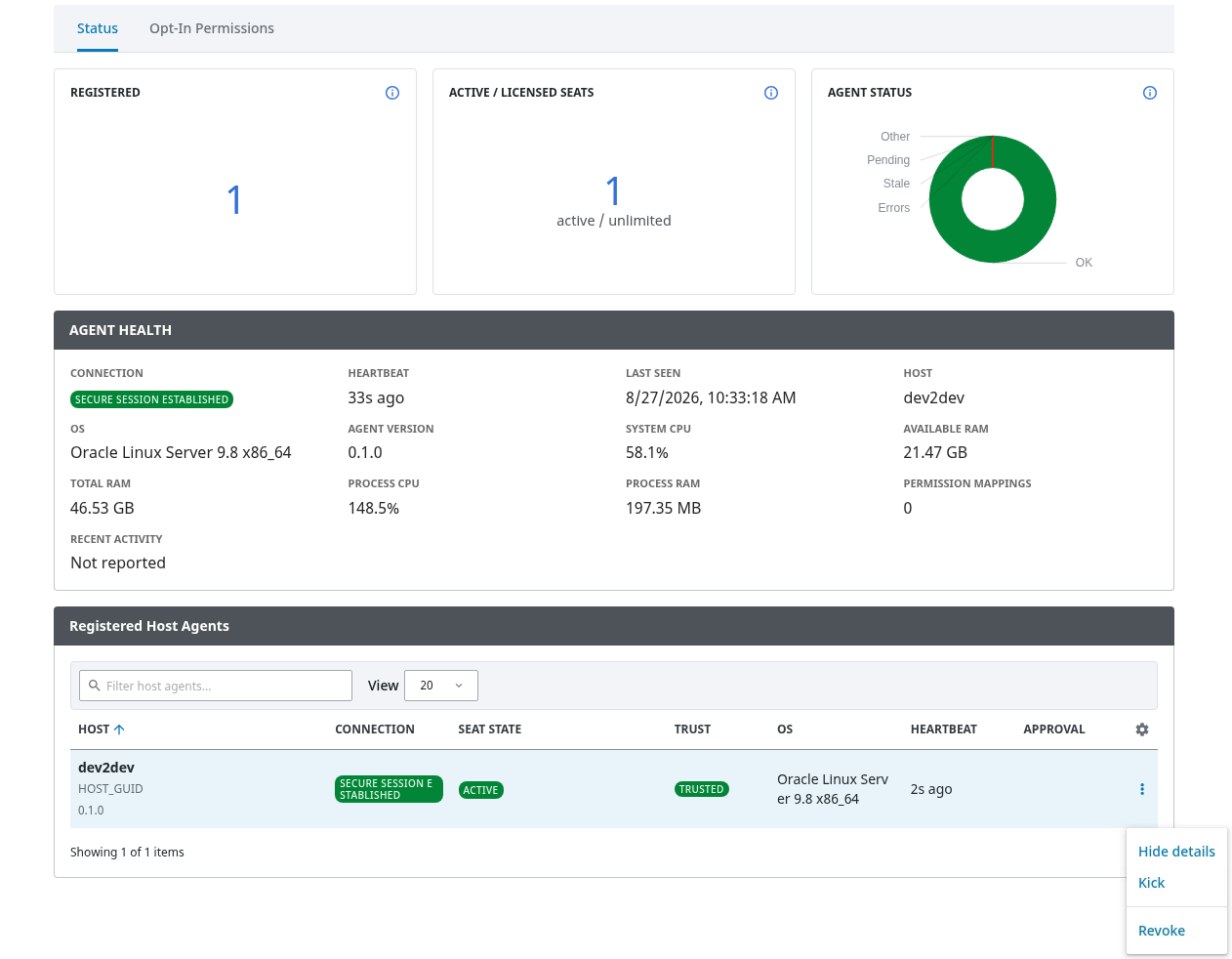
Use Status to:
-
review
Total,Connected,Pending,Stale, andErrorssummaries -
inspect current host and process information
-
approve a pending host with
Approve -
end trust with
Revoke
Verify host identity before approval. Revocation removes the current Gateway runtime and tag projection, but it is not a complete cleanup or guided re-enrollment workflow.
Opt-In Permissions
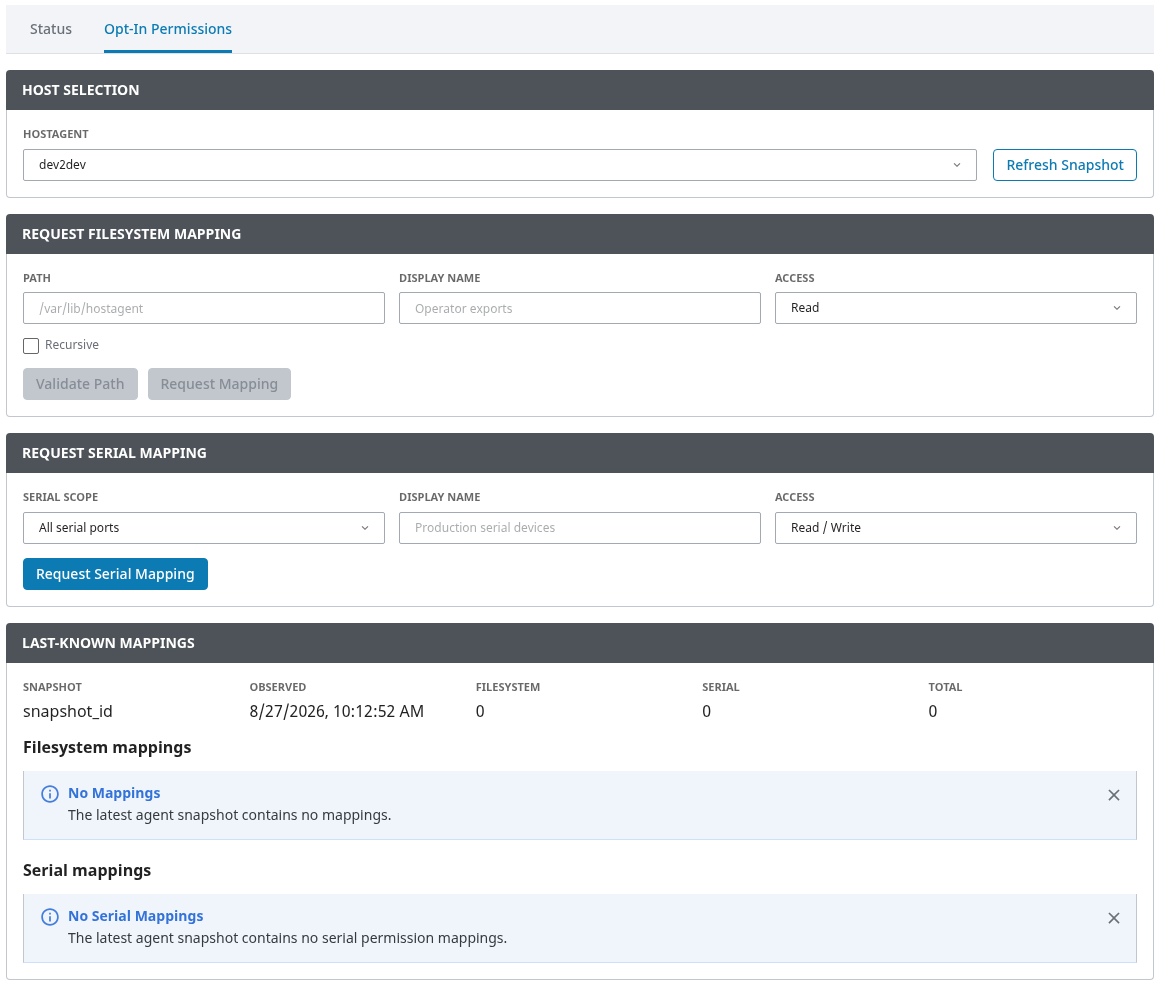
Use Opt-In Permissions to:
-
view the last permission information received from a host
-
request file or directory access
-
request serial access
-
request removal of an existing mapping
Submission confirms delivery to a connected Host Client, not approval. The host operator must approve or decline the request locally. After a module restart, the last-known view remains empty until the Host Client sends a fresh permission snapshot.