
Configuration
Open Security Auditor > Configuration. The page contains three tabs.
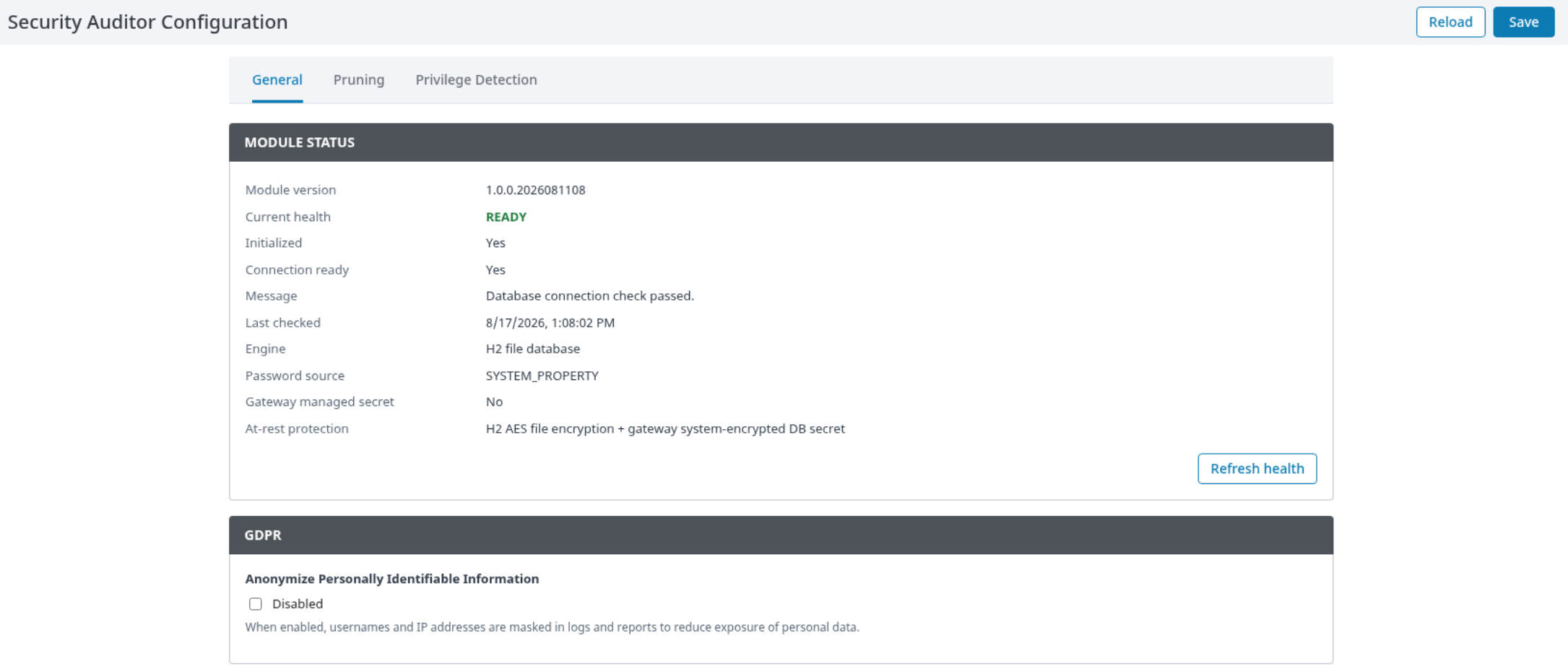
|
Tab |
Purpose |
|---|---|
|
General |
Review visible module/storage health, privacy presentation, and available administrative password-management controls. |
|
Pruning |
Configure retention and optional archive-before-removal behavior; review pruning status. |
|
Privilege Detection |
Configure approved users, monitored roles, automated response, and notification methods. |
Use Refresh health when the page provides it to obtain the current displayed status. A normal status is required before relying on audit reporting.
Status and monitoring
The Configuration page exposes health/status information for administrators. The Reports page presents currently available audit information in these tabs:
|
Tab |
Purpose |
|---|---|
|
User List |
Review observed user-access information. |
|
Sessions Log |
Review recent observed session activity. |
|
Project Change Log |
Review detected project resource activity. |
|
Report Builder |
Configure, test, and manage report delivery entries. |
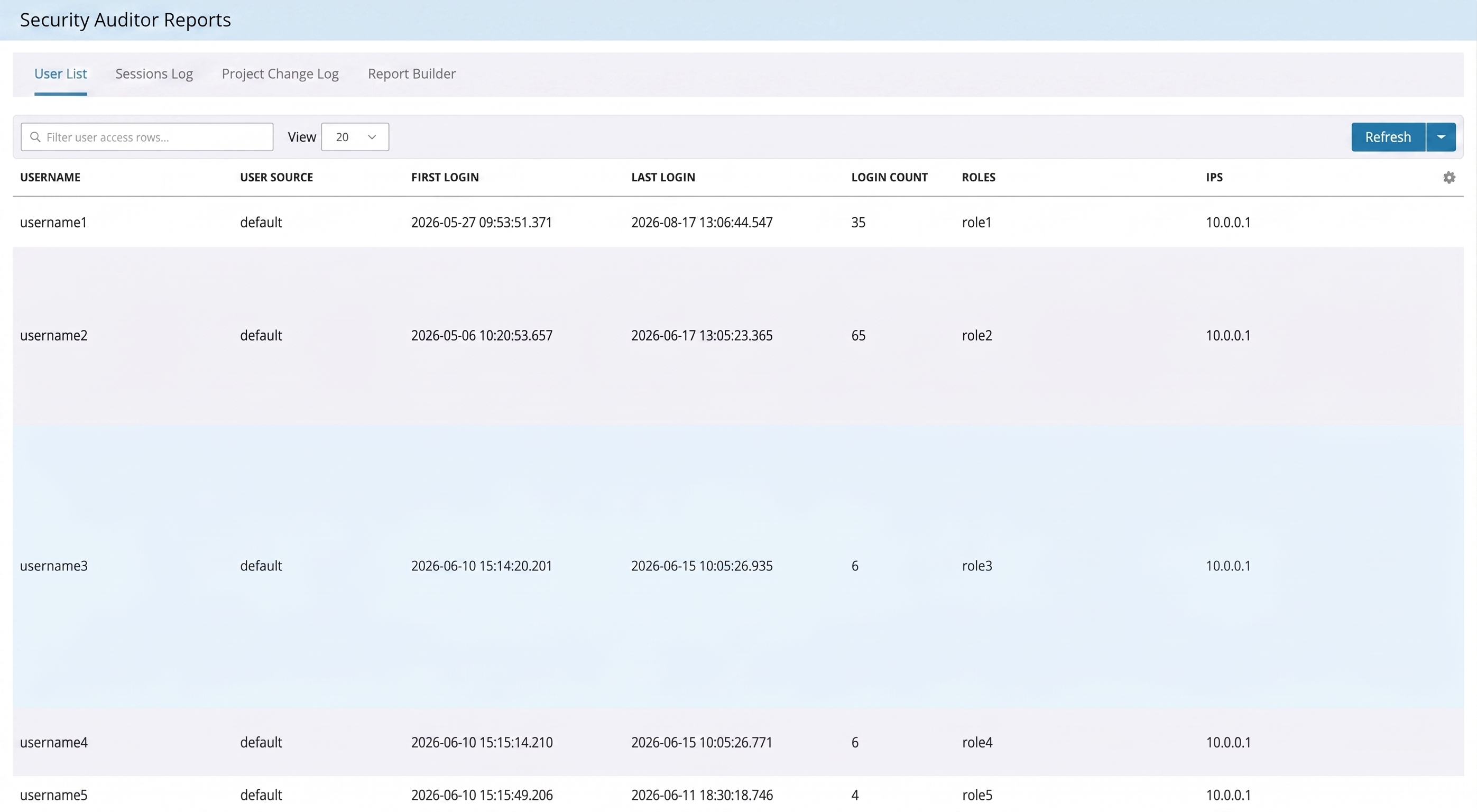
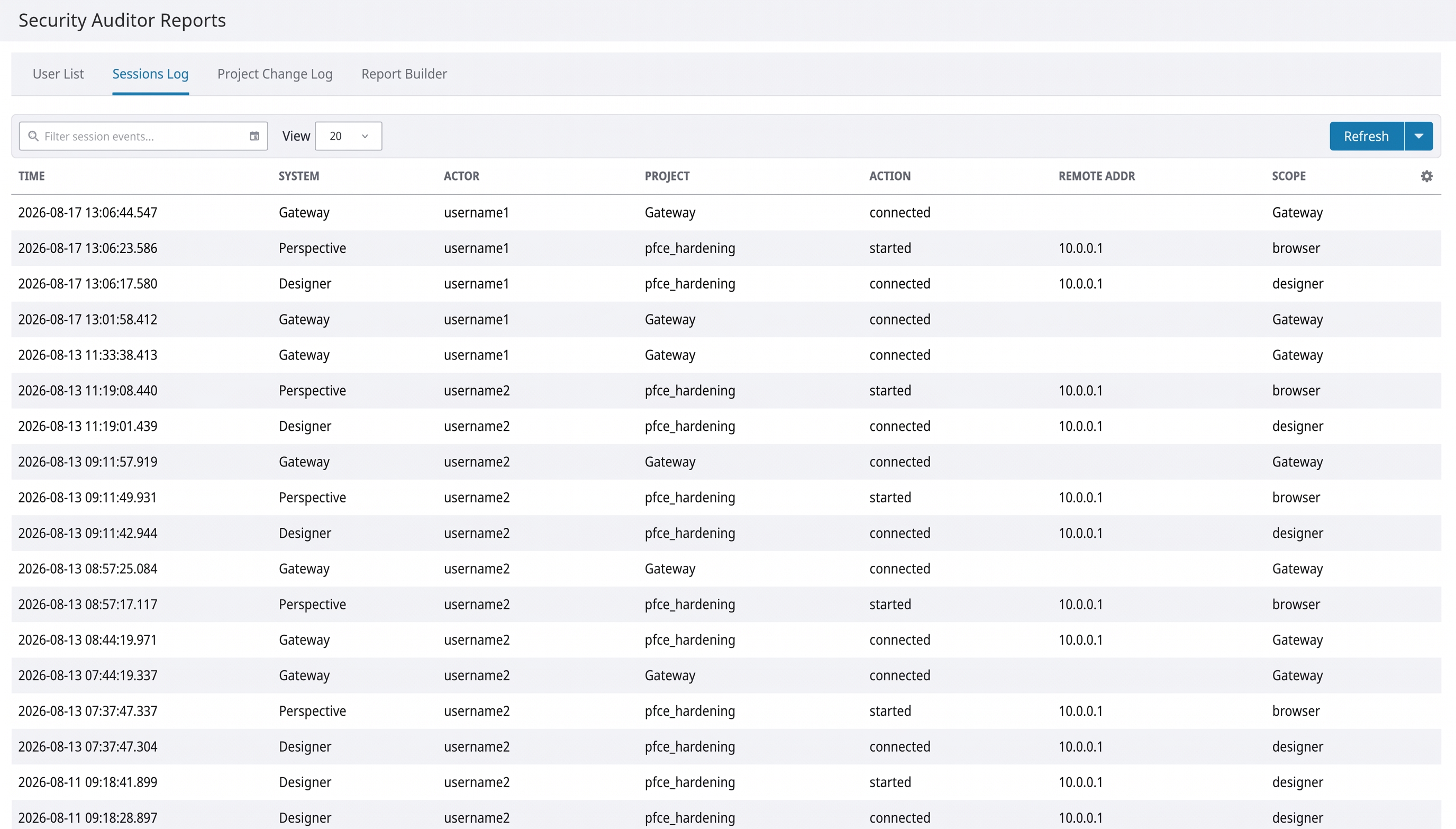
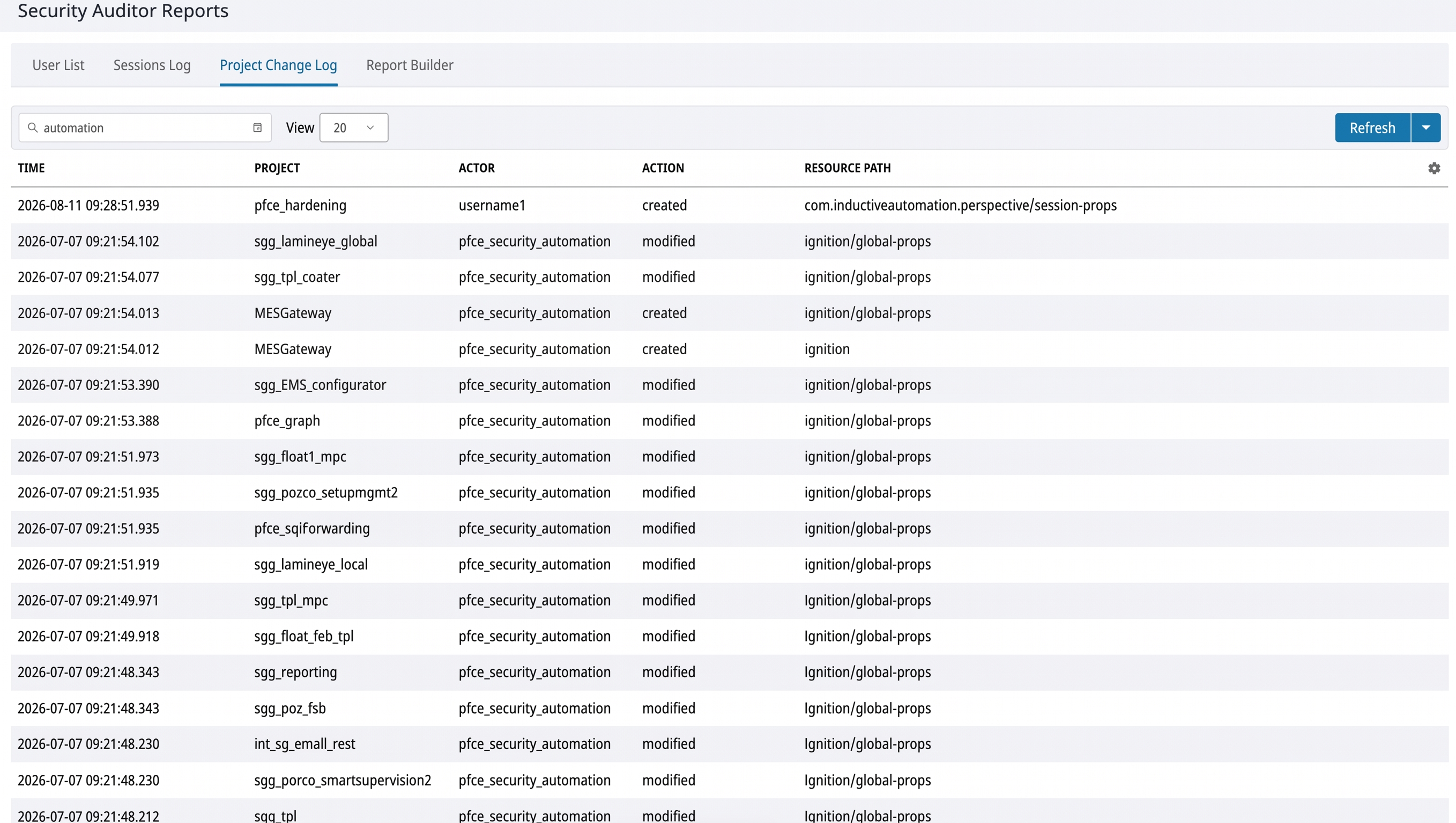
The display is an operational view of module-retained information. It should be used with Gateway logs and the organization's broader audit processes when a complete investigation is required.
Administrative actions
The following user-visible actions are available where authorized:
-
Save configuration changes.
-
Refresh visible health and pruning status.
-
Change a module-managed database password when that control is available.
-
Add, edit, remove, test, or schedule report delivery entries.
-
Export currently displayed reporting information.
-
Inspect available user detail.
Actions that change access, retention, credentials, or external delivery should be restricted to approved administrators.
Report builder
Use Report Builder to create report delivery entries.
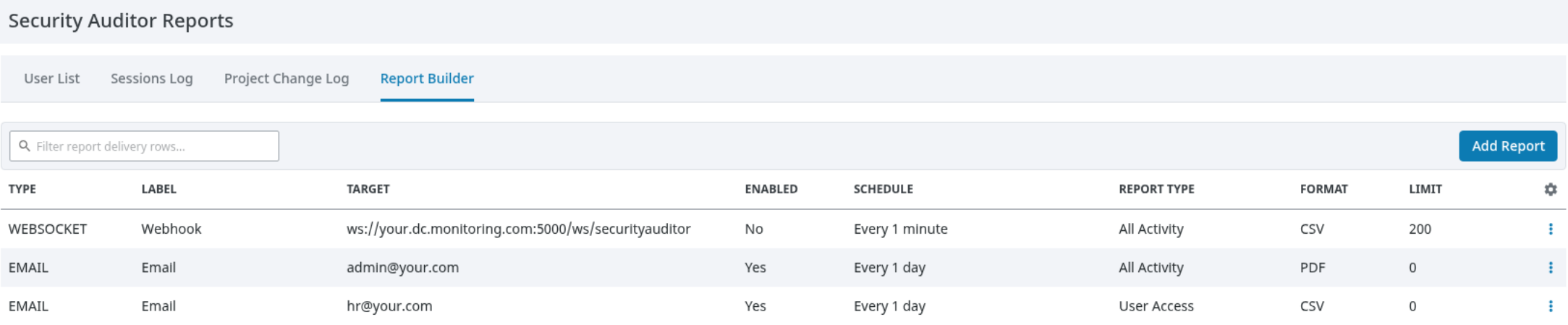
-
Add a report entry.
-
Select its delivery type and provide an approved destination.
-
Select the report category and schedule.
-
Save the entry.
-
Use the available send action to test it.
-
Confirm delivery at the destination before enabling routine scheduling.
Important operational notes:
-
A manual dispatch confirms that delivery was attempted; verify receipt independently.
-
The module's external delivery behavior may differ from browser export behavior.
-
Use the Gateway's local time context when configuring recurring reports.
-
Disable each active report entry/schedule when reporting must stop.
Privilege detection
Use Privilege Detection to define the privileged access policy.
|
Visible field |
Administrator intent |
|---|---|
|
Excluded Users |
List users that are permitted to hold the monitored roles. |
|
Privileged Roles |
List the role names to monitor. |
|
Automated response |
Select whether the module only notifies, terminates sessions, removes roles where supported, or performs both actions. |
|
Notification Methods |
Choose operational notification destinations. |
Start with Notify only. Before any automated response is enabled, verify that the listed users/roles are correct and that support staff can recover an affected account through the normal Gateway user-source process.
Reading and exporting results
The report pages provide browser-facing views of currently available information. Local exports should be handled as operationally sensitive material, particularly when privacy presentation is disabled. Apply the organization's rules for storage, sharing, retention, and disposal of exported information.