
Gateway functionalities
Gateway Analyzer appears in Diagnostics > Gateway Analyzer.
Summary
Summary provides a high-level operational view of the latest analysis, including the health score and active findings. Use Refresh when a new review is required. Use Print to create a browser-based print view for approved reporting workflows.
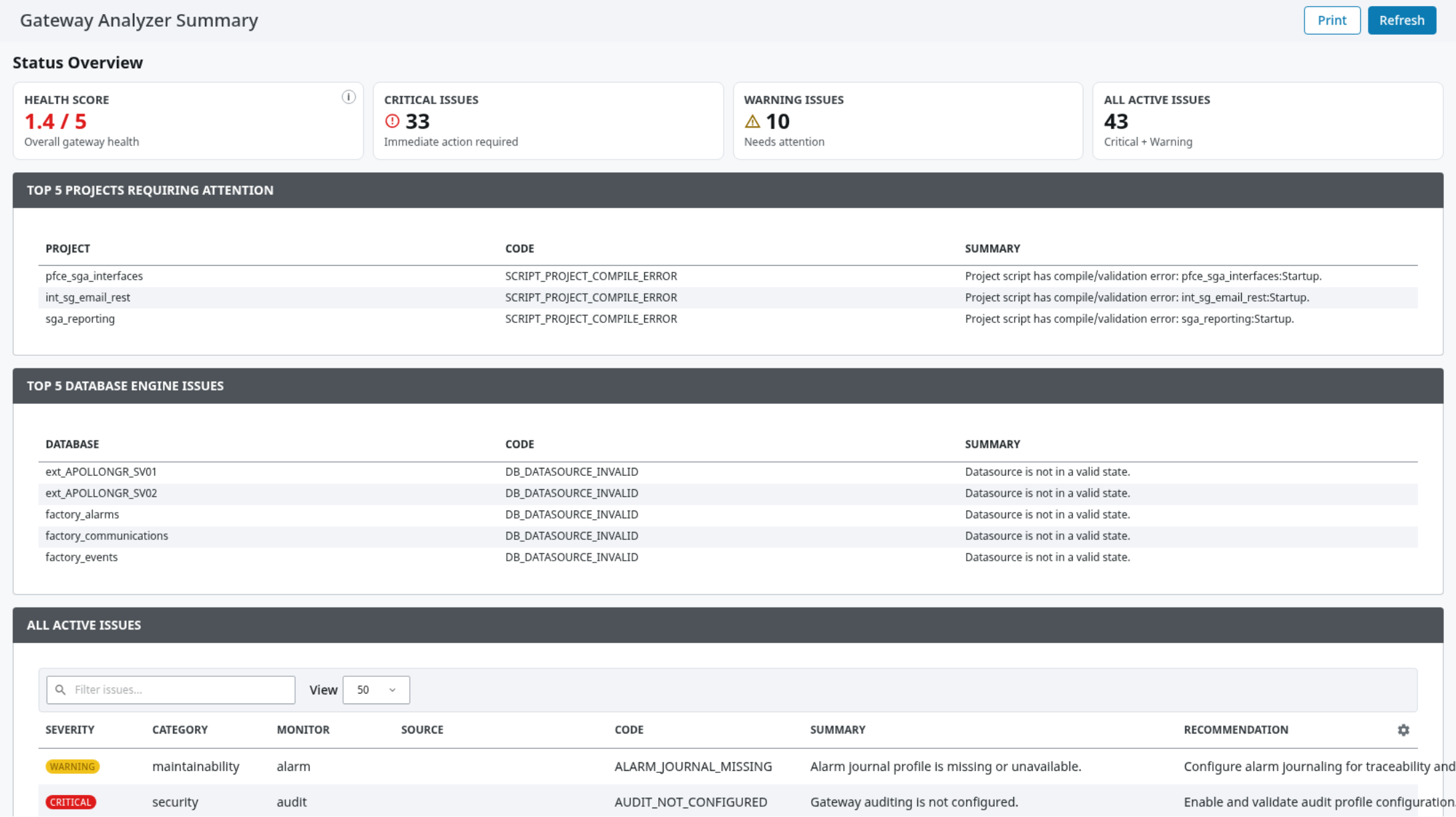
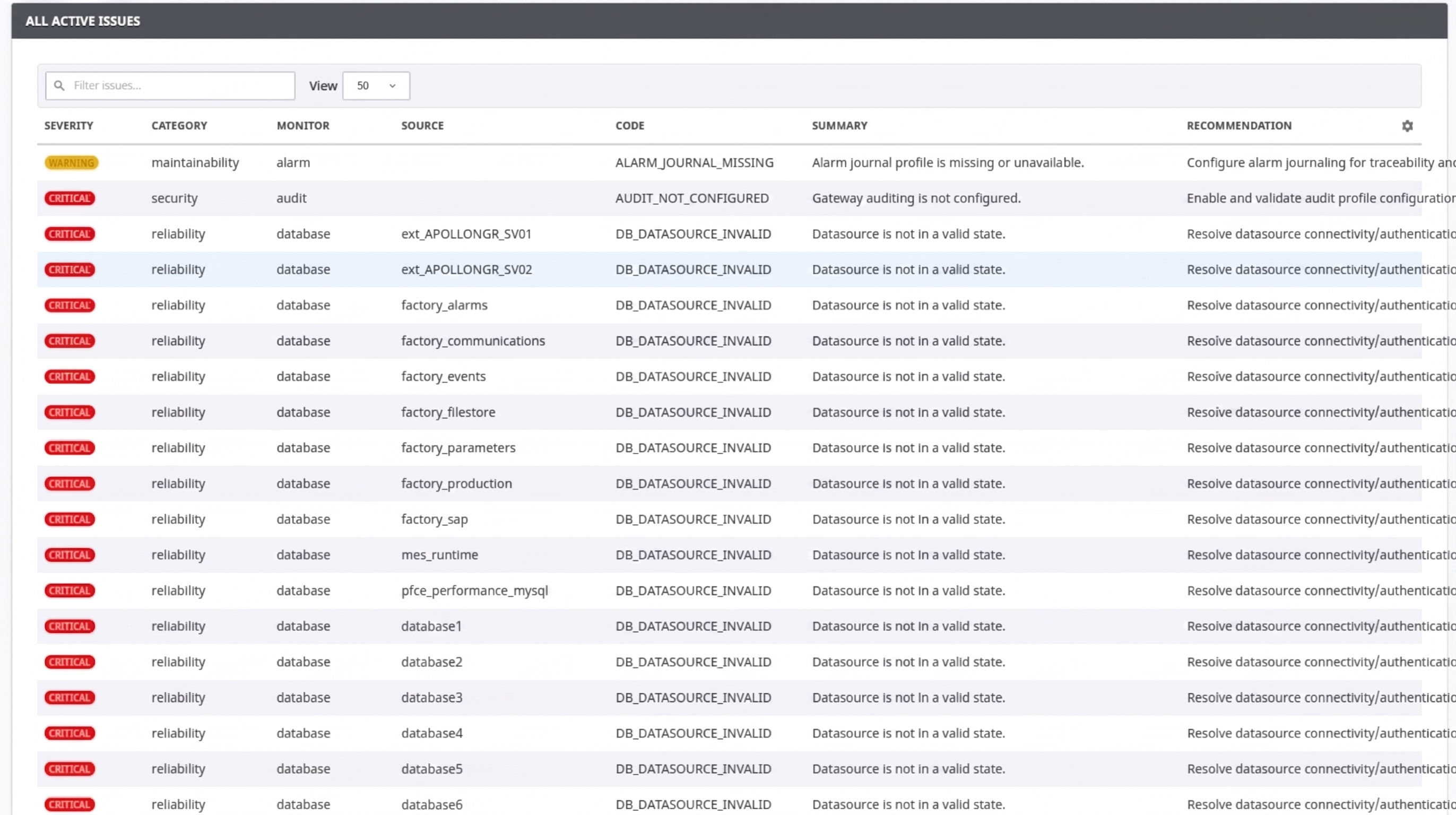
Review findings as diagnostic guidance. Investigate conditions using normal Gateway administration, logs, and project context before making production changes.
Analysis
Analysis lets users browse the available results for each diagnostic area. Select a diagnostic area, use the filter to locate a value, and use Copy path or Copy value when preparing an approved support case or automation reference.
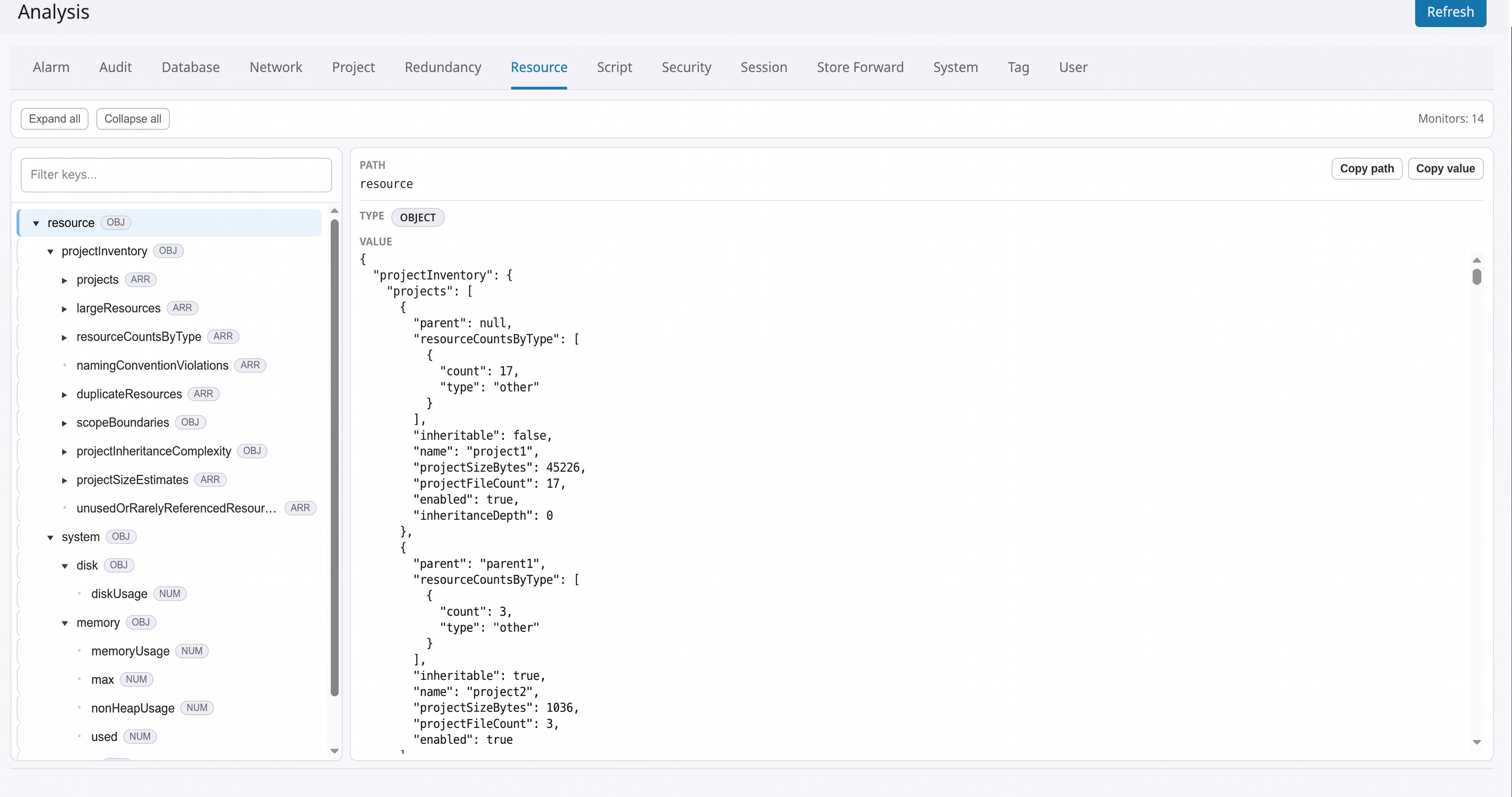
Information shown on this page depends on the currently enabled diagnostic areas, configured filters, available Gateway features, and collection status.
Analyzer settings
Analyzer Settings controls the normal diagnostic scope and output behavior.
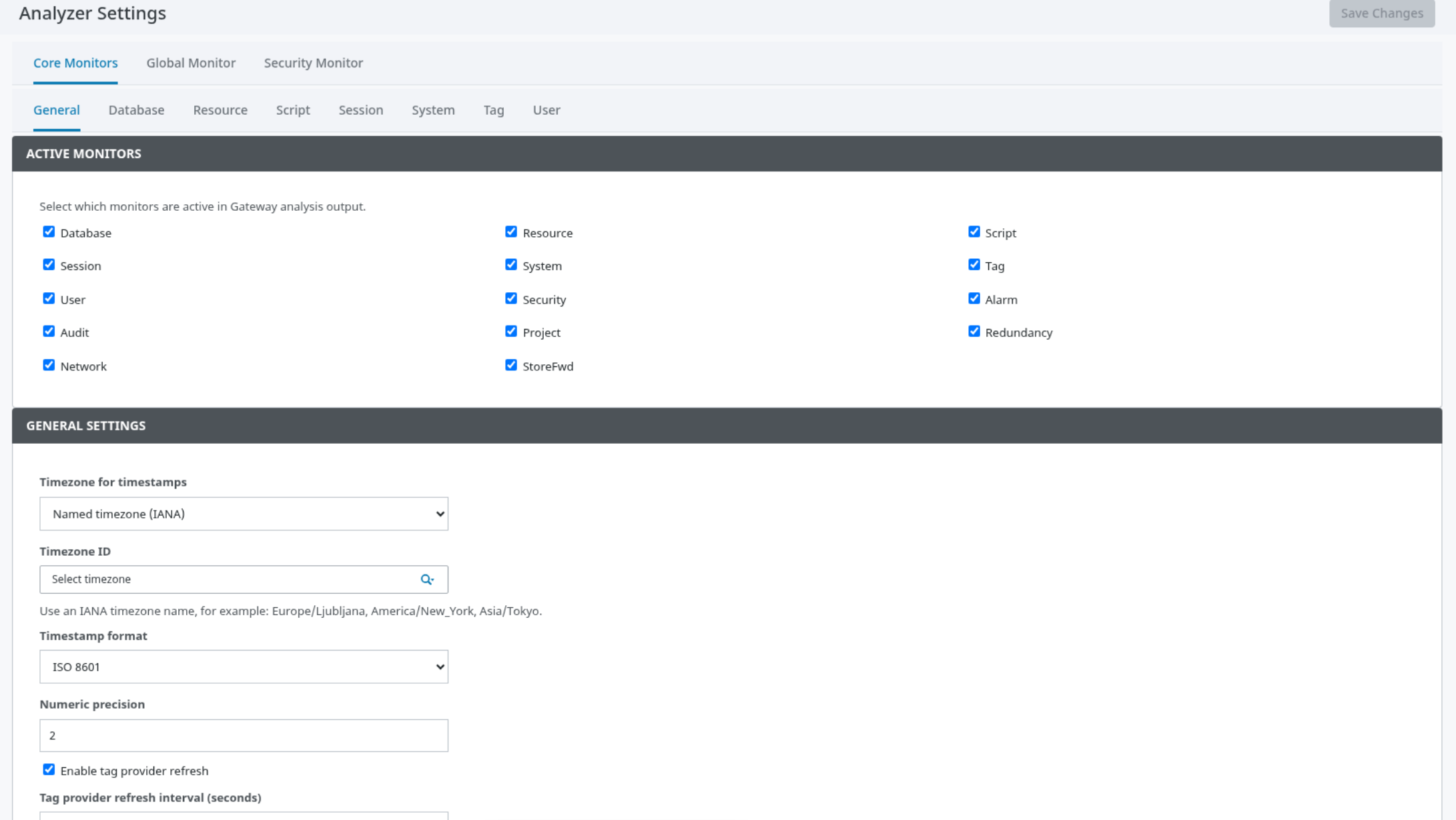
The General tab includes:
-
ACTIVE MONITORS for selecting the diagnostic areas included in normal analysis.
-
Tag-provider refresh controls for module-generated diagnostic tags.
-
Snapshot retention and storage behavior.
-
Configuration import and export.
-
Output presets that balance diagnostic detail against output size.
Additional tabs provide visible options for database, resource, script, session, system, tag, user, security, alarm, audit, project, redundancy, network, and store-and-forward analysis areas. Configure only the options necessary for the intended review.
Select Save Changes after modifying settings. If settings are locked during trial operation, use a fully enabled deployment before attempting administrative changes.
Analysis export
Analysis Export controls download and delivery behavior.
In EXPORT DEFAULTS, choose the default format, filename behavior, whether to include a Gateway snapshot, and whether to refresh diagnostic information before export. Use Export JSON for structured machine-readable output or Export CSV for a report archive.
In AUTOMATED DELIVERY, enable scheduled delivery only after the destination, security controls, and operational ownership have been reviewed. The page supports common web, messaging, file-transfer, and email destination types.
Perspective components
No Perspective components are provided by this module.
Vision components
No Vision components are provided by this module.
Scripting functions
No Scripting functions are provided by this module.
Tag Providers
Managed diagnostic tag provider
Purpose: Provides module-generated diagnostic and analysis information to Gateway projects through a managed tag provider.
Typical usage: Browse the provider in the Gateway tag browser, then bind or read only the values needed for an approved project use case.
Behavior: Values are refreshed by the module according to its configured refresh behavior. The provider is an output surface; project logic should not treat it as a writable configuration source. Available values can vary with configured diagnostic scope, Gateway features, and trial operation.