Family base entry: Network & Flow Marks, which opens with the Arc Diagram preset.
Network presets commonly give different marks their own node and link arrays:
{
  "axis": null,
  "marks": [
    {
      "type": "dot",
      "data": [
        { "id": "Mixer" },
        { "id": "Tank" },
        { "id": "Filler" }
      ],
      "options": { "x": 0, "y": "id", "fill": "steelblue" }
    },
    {
      "type": "arrow",
      "data": [
        { "source": "Mixer", "target": "Tank" },
        { "source": "Tank", "target": "Filler" }
      ],
      "options": { "x": 0, "y1": "source", "y2": "target", "bend": 90 }
    }
  ]
}
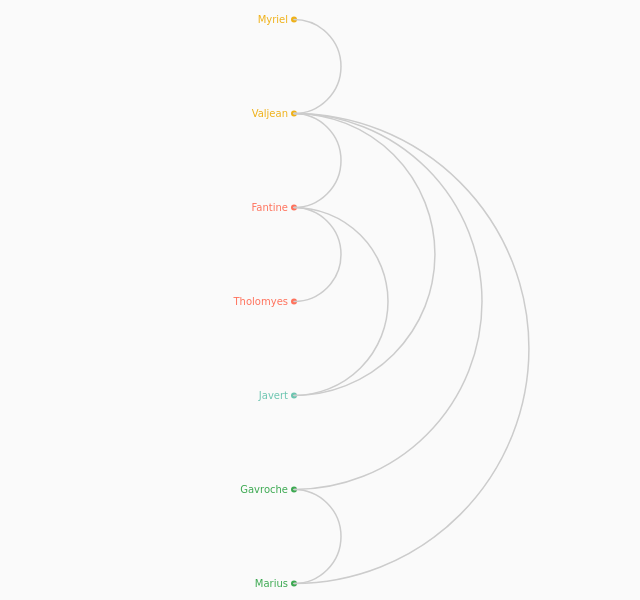
Arc Diagram
ArcDiagram
Arranges nodes along a single axis and draws curved links between them, making it useful for showing relationships, connections, or flows while preserving a compact linear layout.
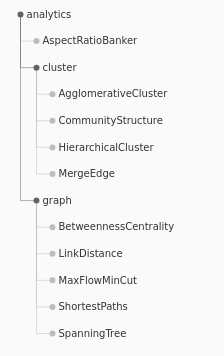
Indented Tree
IndentedTree
Shows hierarchy as a text-like list where indentation represents depth, making parent-child relationships easy to scan in a familiar outline format.
Tidy tree
TreeTidy
Lays hierarchical nodes and links out in clean, space-efficient layers, helping readers understand branching structure without unnecessary overlap or clutter.
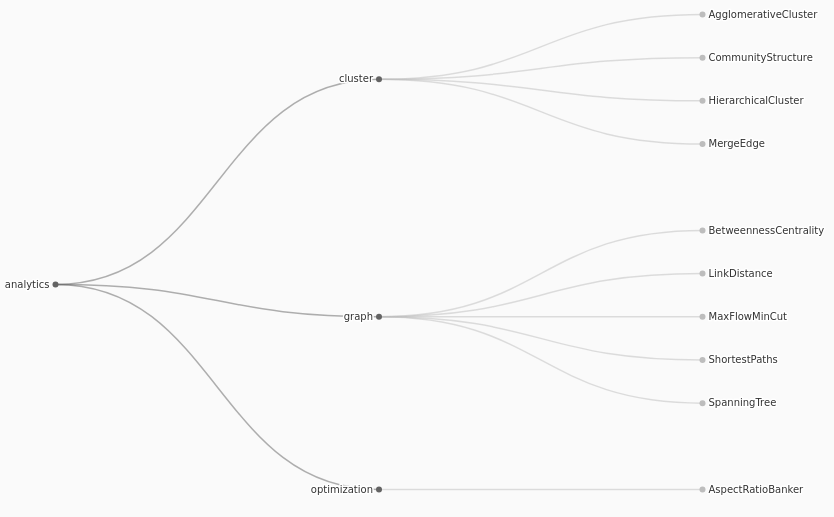
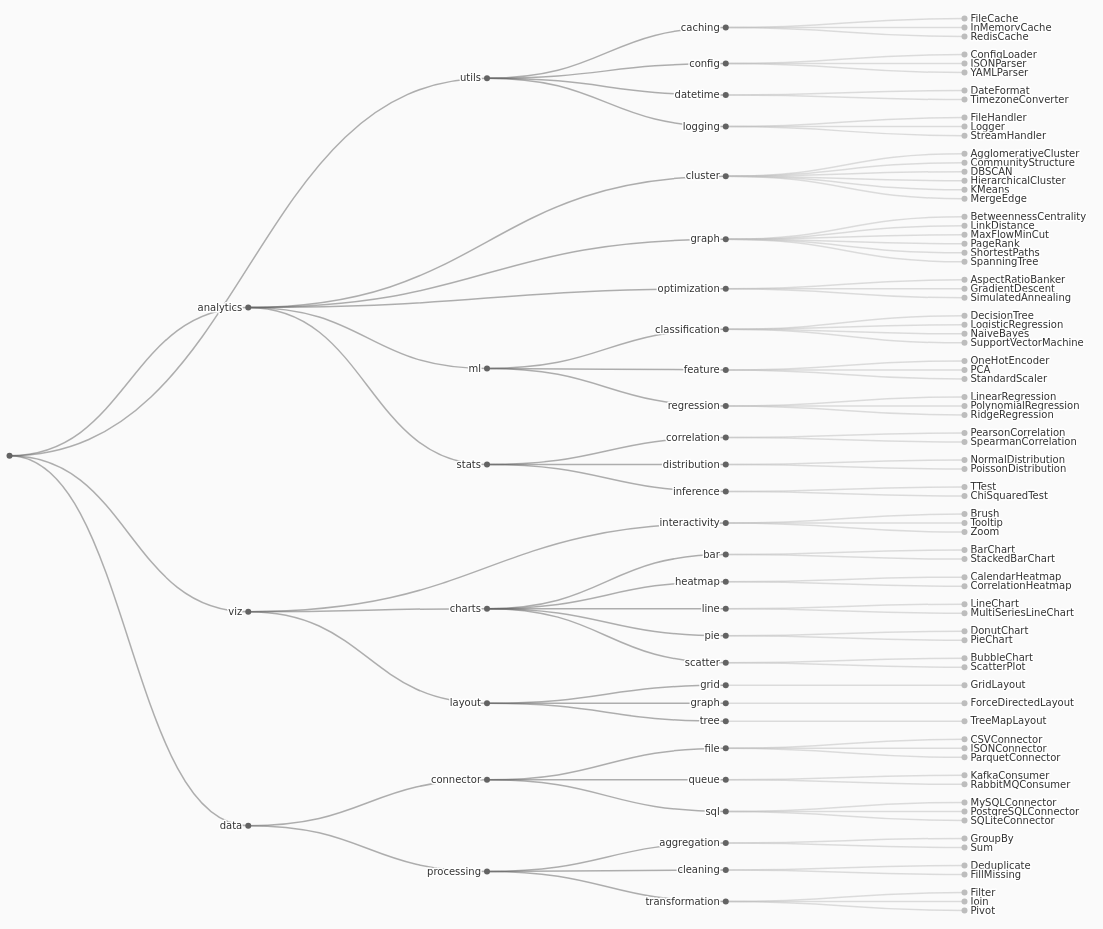
Cluster Diagram
ClusterDiagram
Displays a hierarchy with all leaf nodes aligned at the same depth, which is useful when comparing terminal categories or emphasizing group membership across a tree.
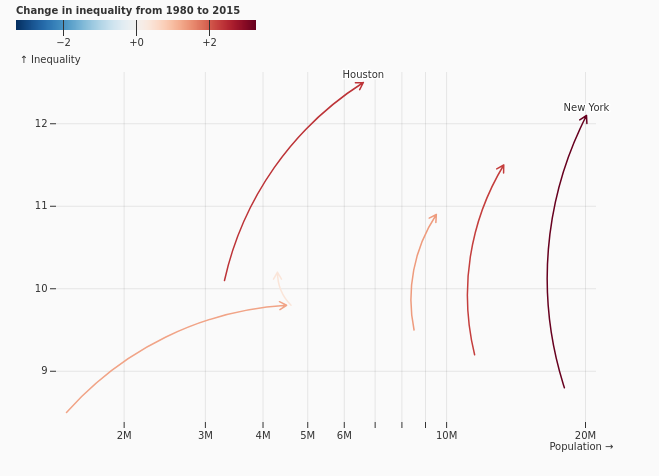
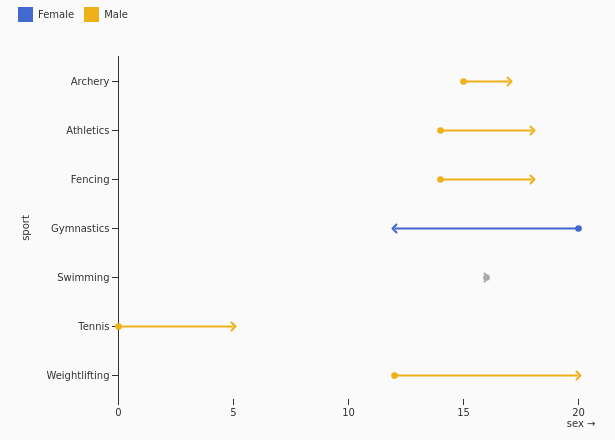
Difference Arrow
DifferenceArrows
Uses arrows to show both the magnitude and direction of change between values, making increases, decreases, and directional comparisons visually explicit.
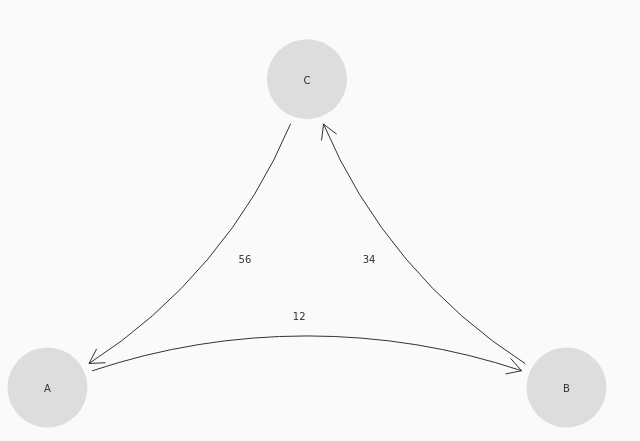
Finite state machine
FiniteStateMachine
Represents states and directed transitions in a state-machine model, helping document process logic, allowed movements, and event-driven behavior.
Arrow Variation
ArrowVariation
Encodes vector direction or change using variations in arrow size, color, or orientation, making directional patterns and relative intensity easier to compare.